
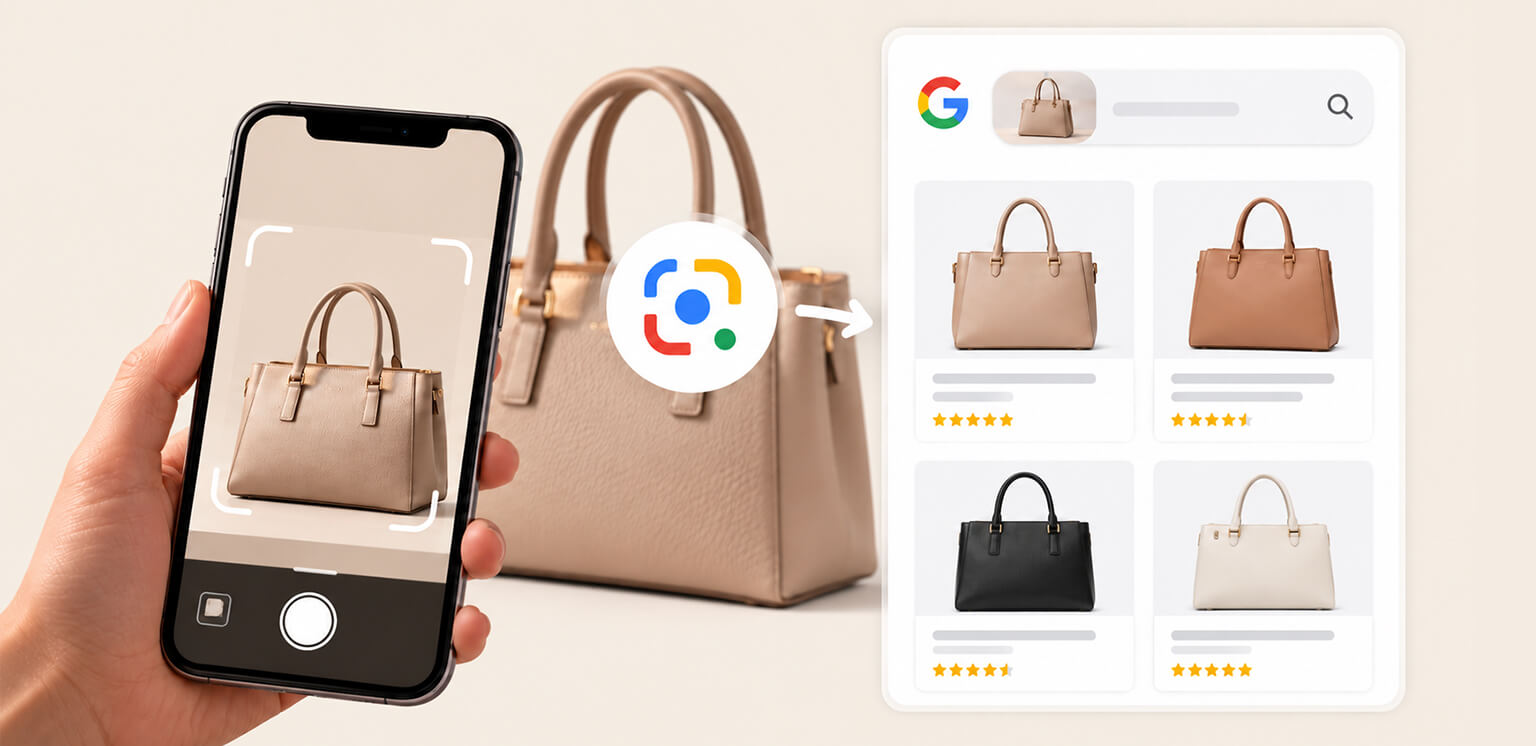
TL;DR: To optimize ecommerce images for Google Lens, use clear product photos, descriptive filenames and alt text, crawlable image URLs, Product structured data, accurate Merchant Center data, and properly compressed responsive images. The goal is to make both the product and its context easy for Google to understand.
Product discovery is becoming increasingly visual. Instead of searching for “black leather crossbody bag,” a shopper can photograph a bag and use Google Lens to find similar products or, where available, product information such as prices, reviews, and retailers.
Google has increasingly connected Lens with shopping experiences, allowing visual searches to surface product details and retailers. For ecommerce brands, this makes visual search SEO another consideration alongside traditional product and image SEO.
There is no special “Google Lens tag” that guarantees visibility. Google Lens product optimization is about providing a clear, accessible product image and consistent information that helps Google understand what the image represents.
What Should You Optimize in Ecommerce Images for Google Lens?
To optimize ecommerce images for Google Lens, focus on clear product photography, descriptive image context, crawlability, structured data, accurate product information, and efficient image delivery. These signals help Google better understand the product represented by each image.
| Optimization | Why it matters |
|---|---|
| Clear, high-quality product photos | Makes products easier to recognize |
| Product-focused composition | Reduces visual ambiguity |
| Multiple useful product views | Gives Google and shoppers more visual context |
| Descriptive filenames and alt text | Provides additional context about the image |
| Crawlable image URLs | Allows Google to access and process the images |
| Product structured data | Connects the image with product information |
| Consistent product and Merchant Center data | Helps Google interpret the product accurately |
| Responsive images | Delivers appropriately sized images across devices |
| Balanced compression and modern formats | Reduces file size without sacrificing important detail |
| Strategic lazy loading | Prevents important product images from being unnecessarily delayed |
What Is Google Lens SEO for Ecommerce?
Google Lens SEO for ecommerce means optimizing product images and their surrounding information so Google’s visual search systems can better understand what the image represents and connect it with relevant product information.
Visual search is different from conventional keyword search. A shopper doesn’t necessarily need to know the product’s name. They can start with an image and let Lens identify objects or find visually similar products.
For ecommerce, think of the relationship as:
Product image → image context → product page → structured data → Merchant Center data
For example, an image named IMG_4829.jpg gives little descriptive context. A file such as beige-linen-womens-blazer.jpg, combined with a clear product image, relevant product title, alt text, structured data, and matching shopping data, creates a much more coherent product representation.
For eligible product discovery in Google Lens, upload your product details to Google Merchant Center and make sure your products are opted in to product listings. Also check that your product images and landing pages follow Google’s image SEO guidelines. These steps help establish the foundation for visual product discovery, but they do not guarantee that a product will appear in every Lens search.
10 Ways to Optimize Ecommerce Images for Google Lens
From image clarity and filenames to structured data, responsive delivery, and Merchant Center, these practices help search engines better understand, crawl, and connect your product images with the products they represent.
1. Use Clear, Product-Focused Images
The first step to optimize ecommerce images for Google Lens is to make the product easy to recognize.
Your primary image should show the actual product clearly, at a useful resolution, without unnecessary visual clutter. Avoid making the product tiny inside a busy lifestyle photograph.
For example, a handbag that fills most of the frame gives shoppers and visual systems a much clearer view of its shape, handles, material, and hardware than a distant model shot.
Lifestyle photography still has an important role, particularly for showing scale and use. It should complement strong product-focused images rather than replace them.
Show Useful Product Angles
Additional images can provide visual information that the primary image cannot:
- Front, back, and side views
- Close-ups of important details
- Product-in-use photographs
- Different colors or variants
- Relevant fit or scale images
The objective isn’t to upload as many images as possible. It is to provide useful visual evidence about the product.
2. Use Descriptive File Names
Image filenames are a small but simple part of product image SEO.
Instead of:
DSC00982.jpg
use:
womens-white-leather-sneakers.jpg
The filename should describe the image naturally. Avoid turning it into a string of keywords such as:
best-cheap-womens-white-leather-sneakers-buy-online.jpg
Google’s image SEO documentation recommends descriptive filenames and relevant surrounding context.
3. Write Descriptive Alt Text
Alt text isn’t a special Google Lens ranking signal. Its primary purpose is accessibility, but it can also provide useful context about an image.
For example:
Good: White leather women’s low-top sneakers
Poor: best white sneakers womens shoes cheap sneakers online
Describe what the image actually shows rather than adding every related keyword. This is particularly important for ecommerce image SEO, where image context should support, not duplicate or manipulate, the product information on the page.
4. Make Product Images Crawlable
A high-quality image cannot contribute to search visibility if Google cannot access it. Check that:
- The image URL loads correctly.
- Googlebot can access the image.
- Important images aren’t blocked by robots.txt.
- Images aren’t hidden behind authentication.
- Product pages are indexable.
- Image URLs remain stable.
- Consider an image sitemap: For large ecommerce catalogs, an image sitemap can help Google discover important product images that it might otherwise miss.
This is an important part of Google visual search optimization. Before worrying about compression or filenames, make sure search engines can actually discover and access the images.
5. Add Product Structured Data
Images don’t exist in isolation. Product structured data helps Google understand information associated with the product page, including the product name, image, brand, SKU, and offers.
A simplified example is:
Product schema does not guarantee that an image will appear in Google Lens. Its value is that it gives Google structured information connecting the product page with the product represented by the image.
Use your actual product details and validate the markup before publishing, this simplified example is not a complete implementation for every ecommerce store or Google product listing feature.
6. Keep Image and Product Data Consistent
One of the most important parts of Google Lens product optimization is consistency.
Imagine your image shows a red cotton dress, the product page calls it a burgundy polyester dress, and your Merchant Center feed describes it as a red satin dress.
Those conflicting descriptions create inconsistent product signals across your page and shopping data. Keep the following aligned:
| Element | Example |
|---|---|
| Image | Red cotton midi dress |
| Filename | red-cotton-midi-dress.jpg |
| Product title | Red Cotton Midi Dress |
| Alt text | Red cotton midi dress |
| Product schema | Matching product name and image |
| Merchant Center | Matching title, image, price, availability |
Consistency doesn’t guarantee visual-search visibility, but it creates a clearer product representation across Google’s systems.
7. Balance Image Quality and File Size
If you want to optimize product images for Google Lens, don’t confuse aggressive compression with optimization.
Overcompressed product photography can remove the details that make an item recognizable. On the other hand, uploading huge original files can unnecessarily increase page weight.
The practical goal is:
High visual clarity + efficient file size
A jewelry image, for example, may need enough detail to preserve the appearance of metal, stones, and textures. Test compressed versions visually rather than choosing a compression setting based only on the final file size.
8. Use Modern Formats and Responsive Images
WebP and AVIF can reduce image payloads compared with older formats, depending on the source image and compression settings. But the smallest file isn’t automatically the best file if product details become blurry or distorted.
You should also serve appropriately sized images for different devices. A 2,000-pixel image doesn’t always need to be downloaded at full resolution on a mobile screen.
For example:
Responsive delivery can reduce unnecessary downloads while maintaining image quality.
9. Use Lazy Loading Carefully
Lazy loading is useful for images that are below the fold, but your primary product image usually appears immediately when the page loads.
If the main product image is unnecessarily delayed, shoppers may initially see an empty or incomplete product area. When that image is the page’s Largest Contentful Paint (LCP) element, delayed loading can also hurt page performance. Load the primary image promptly and consider using fetchpriority="high" when appropriate. Reserve lazy loading for below-the-fold images instead of applying it indiscriminately to every image.
Use lazy loading strategically rather than applying it indiscriminately to every image.
10. Connect Image SEO With Merchant Center
Image optimization shouldn’t end when a product goes live. Regularly check your product data and image-related reports for broken URLs, incorrect images, structured-data issues, or other problems that could affect eligible shopping experiences.
For larger stores, ongoing monitoring is especially useful because product images, pricing, availability, and page content can change frequently.
Google Lens Product Image Checklist
Before publishing or updating an ecommerce product, check:
- The product is clearly visible in the primary image.
- The image meets relevant Merchant Center image requirements and has enough detail for the product.
- Filename describes the actual product.
- Alt text is useful and natural.
- Image URL is crawlable.
- The product page is indexable.
- Product structured data contains the correct image.
- Product information matches the image.
- Merchant Center data is accurate.
- Additional images provide useful views.
- Compression preserves important details.
- Responsive images are implemented appropriately.
- Primary images aren’t unnecessarily lazy-loaded.
For large catalogs, manually checking every image can become difficult. Automated image optimization can help standardize compression, resizing, and format conversion as new product images are added.
Common Google Lens Image Optimization Mistakes
These common mistakes can make product images harder for Google to understand, crawl, or connect with the right product information. Avoiding them helps strengthen both visual search optimization and overall ecommerce image SEO.
Relying Only on Lifestyle Images
Lifestyle photos can be useful, but a clear product-focused image makes the item easier to identify.
Overcompressing Product Photos
Reducing file size at the expense of product details defeats the purpose of ecommerce image optimization.
Stuffing Alt Text
Alt text should describe the image naturally rather than repeat keywords.
Blocking Image Crawling
If Google cannot access the image, other optimization efforts may not matter.
Ignoring Product Data
Images, product pages, structured data, and Merchant Center information should describe the same product consistently.
Looking for a “Google Lens Ranking Trick”
There is no documented Lens-specific formula that guarantees product visibility. Focus on established image SEO, crawling, structured data, product data, and image-quality practices.
Does Image Optimization Affect Google Lens Visibility?
Yes, but indirectly.
Image optimization can improve image quality, usability, and technical delivery, while filenames, surrounding content, structured data, crawlability, and product information help provide context.
However, compressing an image alone won’t make it rank in Google Lens. A better way to think about the process is:
Recognizable image + accessible image + useful context + accurate product data
That combination gives your ecommerce images a stronger foundation for visual search.
Conclusion
To optimize ecommerce images for Google Lens, focus on the complete product-image ecosystem rather than one isolated SEO tactic.
Use clear product photography, descriptive context, crawlable image URLs, accurate Product structured data, consistent Merchant Center information, and compression that preserves important visual details.
The goal is simple: make the product easy to recognize, easy for Google to access, and easy to understand from both visual and textual signals.
FAQs
How do I optimize ecommerce images for Google Lens?
Does Google Lens index ecommerce product images?
What image size is best for Google Lens product optimization?
Does alt text help Google Lens?
Does Product schema help with Google Lens?
Can compressed images appear in Google Lens?
14 October, 2026
Leave a Comment
Ishan Makkar
He is a web performance specialist focused on image optimization and site speed. As the founder of Image Optimizer Pro, he helps businesses reduce image load times and improve Core Web Vitals. His work centers on delivering faster websites, better user experience, and measurable SEO gains without complex development.