
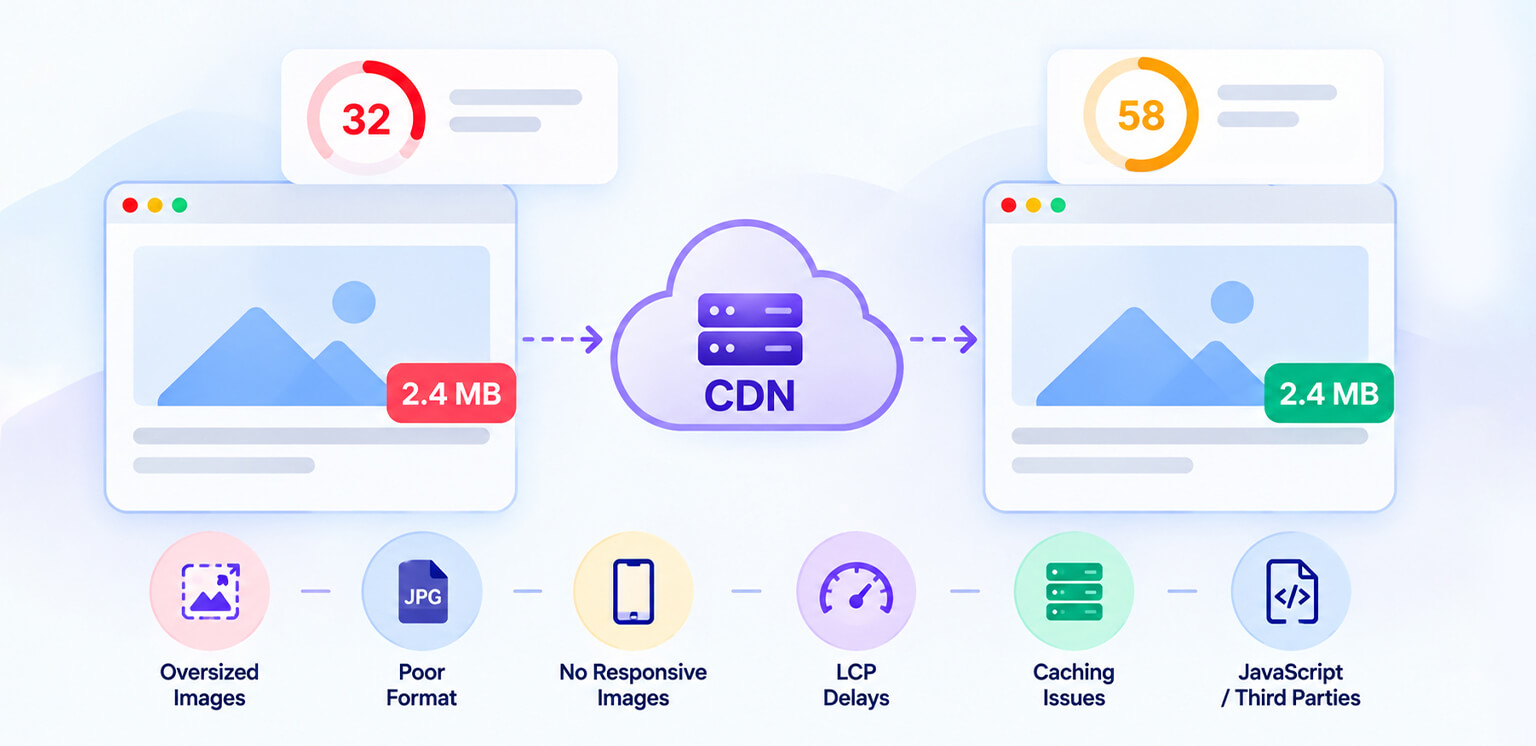
TL;DR: An image CDN can reduce delivery latency and serve images closer to visitors, but it cannot automatically fix oversized, poorly formatted, incorrectly sized, or badly prioritized images. If your image CDN is not improving page speed, check image dimensions, compression, format, caching, responsive delivery, LCP prioritization, and the other resources competing for the browser’s attention.
Adding an image CDN often feels like the obvious solution to slow images: move images to a faster delivery network, cache them at the edge, and expect PageSpeed scores to improve. But that is only part of the equation.
If your image CDN is not improving page speed, the problem may not be where the image is being delivered from. The image itself may still be too large, the browser may be downloading the wrong variant, the LCP image may be discovered too late, or JavaScript and third-party resources may be consuming the performance budget first.
The key distinction is simple: a CDN improves delivery; image optimization reduces what needs to be delivered. You often need both.
Why Isn’t My Image CDN Making My Website Faster?
An image CDN can speed up image delivery, but it won’t automatically fix oversized files, poor image formats, slow LCP images, or other page-level performance issues.
| Problem | Why the CDN isn’t fixing page speed |
|---|---|
| Oversized images | The CDN may deliver a large file faster, but the browser still downloads unnecessary bytes. |
| Wrong image format | JPEG or PNG may remain substantially heavier than an appropriately encoded WebP or AVIF image. |
| Missing responsive images | Mobile visitors may still receive desktop-sized images. |
| Poor LCP loading | A CDN cannot compensate for an LCP image discovered or requested too late. |
| Weak caching | Low cache-hit rates can send requests back toward the origin. |
| JavaScript or third parties | Faster images cannot solve delays caused by scripts, fonts, apps, or other resources. |
| Too many images | Serving dozens of optimized images can still create substantial page weight. |
What Does an Image CDN Actually Do?
An image CDN is a content delivery network designed to deliver image assets efficiently. Depending on the service, it may also resize, transform, compress, cache, or convert images.
Not every CDN provides the same image optimization capabilities. Some primarily cache and deliver existing files, while image-focused CDNs may also resize, compress, convert, and transform images on demand.
The delivery component works by caching assets at geographically distributed edge locations. Instead of every visitor requesting an image from the origin server, a cached version can be served from a location closer to the visitor.
That can reduce network latency and origin load. MDN describes the fundamental CDN benefit similarly: geographically distributed servers can shorten the physical distance between a visitor and the website’s server.
But this distinction matters:
A faster route does not necessarily mean a smaller package.
If your product image is 1.5 MB, an image CDN might deliver that 1.5 MB more efficiently. It does not automatically make the image appropriate for a 375-pixel-wide mobile screen unless image resizing and responsive delivery are configured correctly.
Common Reasons Your Image CDN Isn’t Delivering Faster Pages
An image CDN can improve delivery, but it cannot solve every image-related performance issue. Oversized files, inefficient formats, poor responsive delivery, and slow-loading LCP images can still keep your pages from getting faster.
1. Your Images Are Still Too Large
This is one of the most common reasons an image CDN doesn’t improve page speed as much as expected.
For example, if a product image displays at 600 × 600 pixels but the browser downloads a 2400 × 2400 version, the CDN may deliver it quickly, but the browser still has to download and decode unnecessary data.
The HTTP Archive’s 2024 Web Almanac shows that images remain a major contributor to page weight, with median homepage image bytes around 900 KB on mobile and more than 1 MB on desktop.
An image CDN cannot solve excessive dimensions unless resizing or transformation is actually configured.
| Situation | Image delivered |
|---|---|
| Desktop image sent to mobile | 2000 × 2000 |
| Properly resized version | 600 × 600 |
| Resized + compressed | Smaller payload |
That is why image CDN vs image optimization is not an either/or decision.
What to do: Check the displayed dimensions against the actual image dimensions. Resize images to the largest size they genuinely need and compress them before delivery.
2. The CDN Isn’t Serving the Right Responsive Variant
An image CDN may support automatic resizing, but your website still needs to request or select the appropriate image.
Responsive images let the browser choose a suitable file based on the viewport. Using srcset and sizes can prevent mobile visitors from downloading unnecessarily large desktop images.
Adjust the sizes values to match the image’s actual rendered width at different viewport sizes. The values below are illustrative, not universal.
If your CDN keeps returning the same large image to every device, you are losing much of the benefit of responsive delivery.
What to do: Inspect image requests on both desktop and mobile. Make sure the browser receives a suitably sized variant rather than simply relying on the CDN domain.
3. Your Images Are Using Inefficient Formats
Putting a JPEG or PNG behind an image CDN does not automatically make it lightweight.
Modern formats such as WebP and AVIF can often provide comparable visual quality at smaller file sizes. However, the right image format depends on the image and browser support.
If your CDN images are still slow, check the actual response format in Chrome DevTools instead of assuming your CDN is converting every image.
What to do: Check the Content-Type and transferred size of your largest images. Where appropriate, serve WebP or AVIF and compare quality and file size.
4. Your LCP Image Is Loading Too Late
A CDN can reduce network latency, but it cannot fix an LCP image that the browser discovers too late.
If your hero image is the Largest Contentful Paint (LCP) element, check whether the delay occurs before the browser discovers the image, during download, or during rendering. A CDN may reduce delivery time, but delayed discovery or low loading priority can still keep LCP high.
For example:
Don’t add fetchpriority="high" to multiple images indiscriminately. It should be reserved for genuinely important resources.
What to do: Use PageSpeed Insights and Chrome DevTools to identify the LCP element and check its discovery, priority, size, and request timing.
5. You’re Lazy-Loading the Wrong Images
Lazy loading is useful for images below the fold, but applying it to the LCP image can delay the resource that determines your LCP.
This often happens when a site-wide lazy-loading rule is applied without distinguishing between critical and non-critical images.
What to do: Let important above-the-fold images load normally and defer images that users won’t see immediately.
6. Your CDN Cache Isn’t Actually Doing Much
An image CDN depends on effective caching. If requests frequently miss the edge cache, the CDN may still need to contact the origin before delivering the image.
Check metrics such as cache hits and misses, cache lifetime, Cache-Control headers, origin response time, and image transformation time.
If your image CDN is not working as expected, the problem may be caching rather than the CDN itself.
What to do: Inspect the response headers and CDN dashboard for cache status and origin requests. Make sure frequently requested image variants can be cached effectively instead of being regenerated or fetched from the origin unnecessarily.
7. Images Aren’t Your Only Performance Problem
Sometimes the image CDN isn’t making your website faster because images were never the primary issue.
Heavy JavaScript, third-party apps, render-blocking CSS, fonts, slow server response times, and excessive DOM complexity can all keep a page slow.
If the LCP timeline is dominated by server response, resource discovery, render delay, or another resource, further image optimization may have limited impact.
What to do: Use the PageSpeed Insights diagnostics and network waterfall to identify what is actually consuming the loading budget before making more image changes.
8. Your Website Still Has Too Many Images
A CDN can make image delivery more efficient, but it doesn’t make an image-heavy page weightless.
A collection page with dozens of product images, recommendation widgets, banners, badges, and review graphics can still require significant downloads, even when every image comes from a CDN.
This is where broader image optimization matters: remove unnecessary assets, resize images, compress them, use appropriate formats, and defer non-critical images.
What to do: Audit the page’s total image requests and transferred bytes. Remove redundant assets and optimize the images that remain. For large catalogs, compressing images in bulk can make ongoing optimization more manageable.
Image CDN vs Image Optimization: Which One Do You Need?
The practical answer is usually both.
| Image CDN | Image optimization |
|---|---|
| Reduces delivery distance | Reduces file size |
| Improves caching | Compresses image data |
| Can reduce origin load | Removes unnecessary bytes |
| Can transform images | Converts formats |
| Helps delivery consistency | Controls dimensions |
| Helps latency | Helps download and decode cost |
An image CDN answers “How efficiently can I deliver this asset?”
Image optimization answers “How much asset does the visitor actually need?”
The strongest setup combines the two.
For large catalogs, automated image optimization can help keep newly uploaded assets within consistent sizing, compression, and format standards instead of relying on manual optimization each time. This is especially relevant for ecommerce catalogs with thousands of product images.
How to Diagnose an Image CDN That Isn’t Improving Page Speed
Instead of immediately changing CDN providers, work through the request itself.
Step 1: Record a baseline
Run the page through PageSpeed Insights and note the LCP, total image bytes, largest image, number of image requests, TTFB, and current image URL. This gives you a baseline to compare after making changes.
After each change, retest the same URL under comparable mobile or desktop conditions. Compare the same metrics before and after, repeating tests if results vary. Smaller image files do not automatically guarantee faster page loads.
Step 2: Identify the LCP Element
Use PageSpeed Insights and Chrome DevTools to identify the Largest Contentful Paint element. If an image is responsible for LCP, check when the browser discovers it, its loading priority, dimensions, file size, and request timing.
Step 3: Inspect the actual image request
Open Chrome DevTools → Network → Img and check the requested URL, transferred size, intrinsic dimensions, response format, timing, and cache status.
This helps you determine whether the CDN is actually serving the expected image variant or simply delivering the original asset.
Step 4: Compare displayed size with downloaded size
Compare the image’s rendered dimensions with the dimensions of the file being downloaded. If a 400-pixel-wide image is displayed but the browser downloads a 2000-pixel-wide asset, the CDN may not be delivering an appropriately sized variant.
Step 5: Check the Network Waterfall
Look at the Network panel to see when the image request starts and how long it takes to complete. Check whether the image is waiting behind JavaScript, CSS, fonts, or other resources.
This can help distinguish an image-delivery problem from a broader page-loading performance issue.
Step 6: Test the original and optimized asset
Compare the file size, format, dimensions, and visual quality, not just the CDN URL. Recurring PageSpeed Insights issues can reveal whether the asset still has compression, sizing, format, or loading problems.
What Should You Optimize Before Blaming the CDN?
A practical starting point is to identify the main issue, then address the relevant issue:
Image dimensions and file size → format and compression → responsive delivery → loading priority → caching and delivery efficiency.
This is a troubleshooting guide, not a fixed sequence. If LCP is delayed by resource discovery or another page-level issue, address that first.
The HTTP Archive Web Almanac shows that images account for a substantial share of web page weight. Reducing unnecessary image bytes before delivery can help, especially when pages serve oversized assets. If your images are still larger than they need to be, image compression can reduce file size before the CDN delivers the asset.
Conclusion
If your image CDN is not improving page speed, don’t assume the CDN has failed.
First look at what the browser is actually downloading. A fast edge server cannot compensate for a 2 MB hero image, a desktop-sized asset sent to a phone, an LCP image discovered too late, ineffective caching, or a page overloaded with scripts and images.
The most reliable approach is to optimize the asset first, deliver the correct responsive version, prioritize critical images, cache them effectively, and then use the CDN to make that optimized payload reach visitors efficiently.
In other words, an image CDN can make image delivery faster, but it cannot make a poorly optimized image disappear.
FAQs
Does an image CDN improve PageSpeed?
Why is my website still slow after using an image CDN?
Can an image CDN improve LCP?
Why are CDN images still slow on mobile?
Is an image CDN better than image optimization?
Does a CDN fix Core Web Vitals?
19 October, 2026
Leave a Comment
Ishan Makkar
He is a web performance specialist focused on image optimization and site speed. As the founder of Image Optimizer Pro, he helps businesses reduce image load times and improve Core Web Vitals. His work centers on delivering faster websites, better user experience, and measurable SEO gains without complex development.