
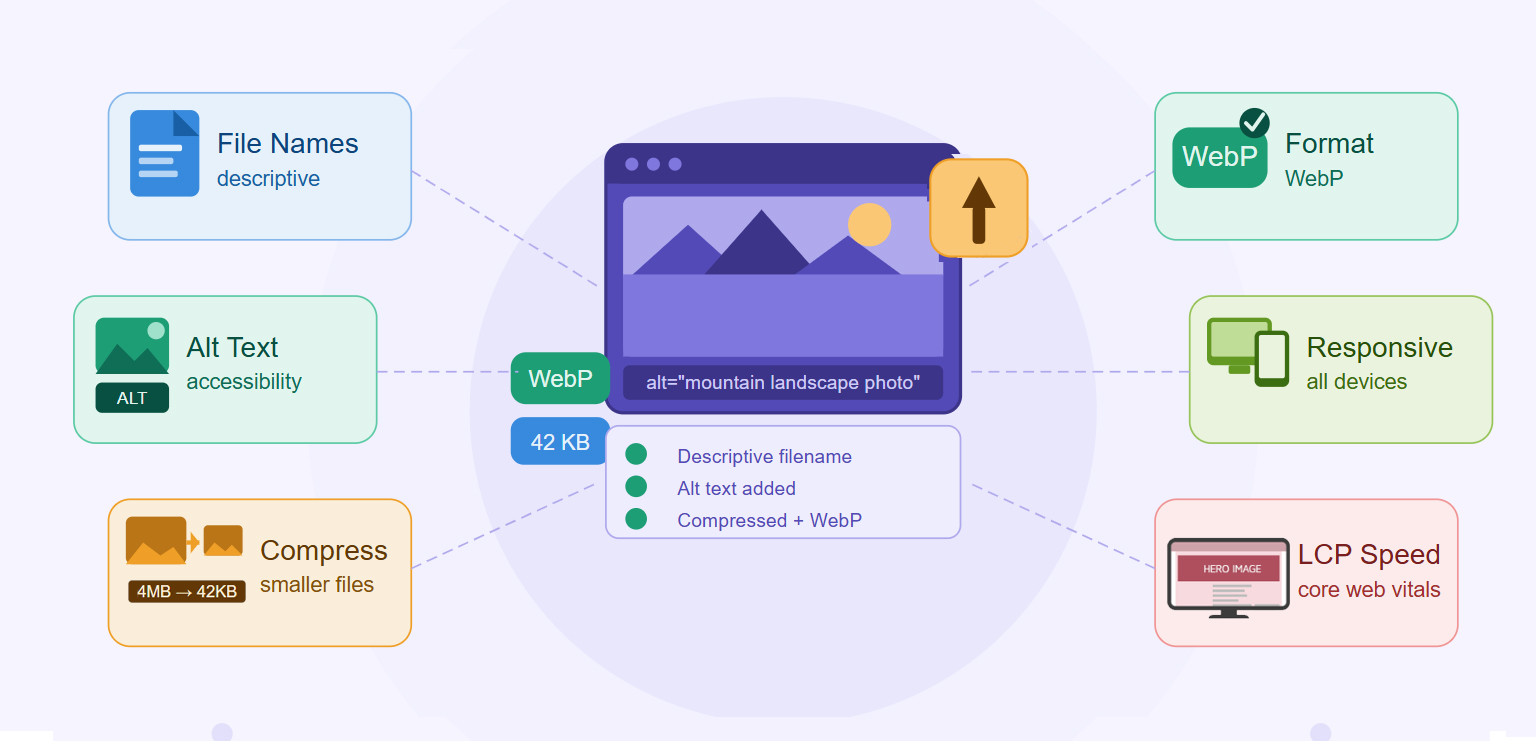
TL;DR: A strong image SEO strategy involves much more than adding alt text. This image SEO checklist covers 25 practical best practices to help improve image search visibility, page speed, user experience, and overall SEO performance in 2026.
Images do more than enhance visual appeal, they influence page speed, accessibility, user experience, Core Web Vitals, and visibility in search results. As search engines become more sophisticated, effective image SEO now requires proper compression, modern formats, responsive delivery, and technical optimization.
This image SEO checklist covers 25 actionable best practices to improve rankings, strengthen image search optimization, and create faster, more SEO-friendly pages in 2026.
Quick Image SEO Checklist for 2026
- Use descriptive, keyword-relevant image file names.
- Write clear, accurate alt text for accessibility and search engines.
- Compress images before uploading to reduce file size.
- Use modern formats such as WebP or AVIF.
- Serve responsive images for different screen sizes.
- Optimize hero images and other Largest Contentful Paint (LCP) elements.
- Avoid lazy-loading above-the-fold images.
- Add structured data where applicable.
- Include images in XML sitemaps.
- Use SEO-friendly image URLs.
- Maintain high image quality while keeping files lightweight.
- Optimize images for mobile devices.
- Implement browser caching and CDN delivery.
- Use captions when they add helpful context.
- Regularly audit images for performance and indexing issues.
Following these image SEO best practices helps search engines better understand your visuals, improves page speed, enhances user experience, and increases visibility in Google Images and other search results.
Why Image SEO Matters More Than Ever in 2026
Images are no longer just visual elements. They influence page speed, user experience, accessibility, rich results eligibility, and visibility in Google Images.
Google recommends optimizing images for discovery and indexing, making it easier for search engines to understand image content and surface relevant images across Google Search and Google Images.
At the same time, image-heavy pages often struggle with Core Web Vitals. Images are frequently the largest contributor to Largest Contentful Paint (LCP), especially on image-heavy pages. Improper image handling continues to hurt website performance.
If you want higher rankings, better user engagement, and more image search traffic, following a comprehensive image SEO checklist is essential.
25 Image SEO Best Practices for Higher Rankings in 2026
Follow these SEO best practices to improve search visibility, page speed, user experience, and image rankings in 2026.
1. Use Descriptive Image File Names
Before uploading an image, rename it appropriately.
Instead of:
IMG_5839.jpg
Example:
image-seo-checklist-2026.webp
File names help search engines understand image content and relevance. A descriptive file name provides another contextual signal about what the image represents.
While file names alone won’t dramatically improve rankings, they support overall image search optimization when combined with relevant page content, alt text, and captions.
2. Write Descriptive Alt Text
Alt text serves two purposes:
- Improves accessibility
- Helps search engines understand image content
A good alt attribute describes the image naturally.
Example:
<img src="image-seo-checklist.webp"
alt="Image SEO checklist showing optimization best practices for rankings">
Avoid treating alt text as a place to insert keywords repeatedly. Instead, focus on describing what a user would see if the image failed to load.
Well-written alt text improves accessibility for screen readers while giving search engines valuable information about image content.
3. Choose Modern Image Formats
Modern image formats typically deliver smaller file sizes without noticeable quality loss. Recommended image formats:
| Image Format | Best Use |
|---|---|
| AVIF | Maximum compression |
| WebP | Best overall balance |
| JPEG | Photography fallback |
| PNG | Graphics requiring transparency |
| SVG | Logos and vector graphics |
Using newer formats can significantly reduce page weight compared to traditional JPEG or PNG files. Smaller images load faster, consume less bandwidth, and improve the overall user experience, especially on mobile devices and slower connections.
4. Compress Every Image Before Uploading
Image compression for SEO is one of the highest-impact optimizations you can make. Smaller files:
- Load faster
- Improve Core Web Vitals
- Reduce bandwidth usage
Many websites upload images directly from cameras or design tools without optimization. These files are often much larger than necessary, slowing down page performance. Proper compression can significantly reduce file size while maintaining visual quality that users are unlikely to notice.
Using an image optimization tool can make this process much easier. For example, Image Optimizer Pro automatically compresses images and converts them into web-friendly formats, helping you maintain faster-loading, SEO-friendly images at scale.
5. Optimize Your LCP Image
Your hero image is often the Largest Contentful Paint element. Because LCP is a Core Web Vitals metric, optimizing this image has a direct impact on perceived page speed. Ensure the image is compressed, appropriately sized, and loaded immediately. In many cases, improving a single hero image can have a larger performance impact than optimizing dozens of smaller images elsewhere on the page.
6. Avoid Lazy-Loading Above-the-Fold Images
Lazy loading works well for images below the fold. However, your primary visible image should load immediately. When above-the-fold images are lazy-loaded, browsers delay downloading them, which can increase rendering time and hurt user experience. Reserve lazy loading for images that users won’t see until they scroll.
7. Use Responsive Images
Different devices require different image sizes. Responsive image markup allows browsers to select the most appropriate version for each screen size. This prevents mobile users from downloading unnecessarily large desktop images while ensuring larger displays still receive high-quality visuals. The result is faster loading and improved user experience across devices.
8. Match Images to Search Intent
Images should support the content surrounding them. For example:
- Product pages → product photos
- Tutorials → screenshots
- Recipes → finished dishes
- Comparisons → side-by-side visuals
When images align closely with user intent, they become more useful and increase engagement. Search engines also use page context to understand image relevance, making content-image alignment an important ranking factor.
9. Place Images Near Relevant Content
Google evaluates the surrounding text when understanding images. Placing an image close to the section it illustrates strengthens contextual relevance. If a diagram explains a process, it should appear immediately next to that explanation rather than elsewhere on the page. This improves usability and provides clearer signals to search engines.
10. Add Helpful Captions
Captions are among the most-read text elements on many pages.
Not every image requires a caption, but when used appropriately, captions provide valuable context and improve comprehension. They can also reinforce the relationship between the image and surrounding content without relying solely on alt text.
11. Create an Image Sitemap
Image sitemaps help search engines discover images that might otherwise be missed. This is particularly useful for websites using JavaScript frameworks, image galleries, or dynamically loaded content. An image sitemap acts as a roadmap that helps search engines locate and index visual assets more efficiently.
12. Use Structured Data
Schema markup can help images appear in rich results. Examples include:
- Product schema
- Recipe schema
- Article schema
Structured data gives search engines additional information about the purpose of an image and its relationship to page content.
Proper schema markup implementation can improve content understanding and help search engines better interpret the relationship between images and page content. If you’re looking for a simpler way to add structured data, a schema markup generator can help automate the process without requiring technical expertise.
13. Maintain Consistent Image Quality
Avoid:
- Pixelated images
- Blurry photos
- Over-compression artifacts
Poor visuals can damage user trust, especially on e-commerce websites where image quality influences purchasing decisions. Consistent, professional-looking images create a better experience and often contribute to higher engagement metrics.
14. Use SEO-Friendly Image URLs
Keep URLs readable.
Example:
/images/image-seo-checklist.webp
Simple, descriptive URLs are easier for search engines to interpret and easier for teams to manage. Clean URL structures also support better organization as websites grow.
15. Serve Images Through a CDN
Content Delivery Networks reduce latency and improve image delivery worldwide. Instead of serving every image from a single server, CDNs distribute content through multiple global locations.
Users receive files from the nearest server, reducing loading times and improving performance across different geographic regions.
16. Implement Browser Caching
Caching prevents repeated downloads of unchanged images. When visitors return to your website, cached images load much faster because they are stored locally in the browser. This improves user experience and reduces server resource consumption.
17. Use Proper Dimensions
Avoid uploading a 4000px image when it displays at 800px.
Oversized images waste bandwidth and slow page loads. Resizing images before upload ensures visitors download only what is necessary. This is one of the simplest yet most overlooked image optimization checklist items.
18. Optimize Mobile Images
Most searches occur on mobile devices. Images should load quickly, display correctly, and remain visually appealing on smaller screens. Mobile optimization is no longer optional because search engines primarily evaluate mobile experiences when assessing website performance.
19. Avoid Keyword Stuffing in Alt Text
Bad example:
“image seo checklist image seo best practices image optimization checklist.”
Good example:
“Checklist showing key image SEO best practices for website optimization”
Keyword stuffing creates a poor experience for users relying on assistive technologies and may reduce the usefulness of alt attributes. Natural descriptions are more effective for both accessibility and SEO.
20. Use SVG for Logos
SVG files remain sharp at any size and typically have very small file sizes. Unlike raster formats, SVG graphics scale without losing quality. This makes them ideal for logos, icons, and interface elements that appear across multiple screen sizes and resolutions.
21. Include Images in Open Graph Tags
When content is shared on social platforms, optimized images improve visibility and engagement.
A compelling preview image can significantly increase click-through rates from social media. Open Graph tags ensure the correct image appears when users share your content.
22. Test Images in Google Search Console
Monitor:
- Indexed images
- Crawl issues
- Performance trends
Google Search Console can reveal whether images are being discovered and indexed properly. Regular monitoring helps identify technical issues before they affect visibility and traffic.
23. Optimize E-commerce Product Images
For product pages:
- Use multiple angles
- Add descriptive file names
- Write unique alt text
- Compress images
High-quality product image supports both search visibility and conversions. Detailed product photos often rank in image search while also helping customers evaluate products before purchasing.
24. Use AVIF or WebP Where Possible
Modern image formats like WebP and AVIF offer substantial efficiency gains compared to traditional formats.
WebP remains a strong default choice due to broad support, while AVIF often delivers even better compression ratios. Adopting these formats can reduce page weight without sacrificing visual quality.
25. Audit Your Images Regularly
An image optimization checklist should not be a one-time task.
Review regularly for:
- Missing alt text
- Large file sizes
- Broken images
- Incorrect dimensions
- Indexing issues
As websites grow, image-related issues naturally accumulate. Routine audits help maintain performance, accessibility, and search visibility while preventing technical debt from building over time.
9 Common Image SEO Mistakes That Hurt Rankings
Even websites with strong content can miss out on rankings and image search traffic because of avoidable image optimization mistakes. Small issues often accumulate over time, leading to slower page speeds, poor user experiences, and reduced visibility in search results.
Some of the most common image SEO mistakes include:
- Uploading images directly from cameras or design tools without optimization
- Using generic file names such as IMG_1234.jpg
- Skipping image compression
- Ignoring alt text or stuffing it with keywords
- Failing to implement structured data where relevant
- Forgetting to create or maintain image sitemaps
- Lazy-loading above-the-fold or hero images
- Publishing oversized images for mobile users
- Not using modern formats like WebP or AVIF
The good news is that most of these issues are relatively easy to fix. Following a structured image SEO checklist helps ensure your images support better rankings, faster page loads, improved accessibility, and stronger image search visibility.
Conclusion
A successful image SEO checklist in 2026 focuses on far more than keywords. Modern image SEO requires fast-loading formats, effective image compression for SEO, responsive delivery, accessibility, structured data, and strong technical implementation.
By consistently applying these image SEO best practices, you improve both search engine understanding and user experience, creating SEO-friendly images that are more likely to rank, appear in image search results, and contribute positively to overall website performance.
FAQs
Does image compression help SEO?
What is the best image format for SEO?
Do image file names affect SEO?
Can images appear in Google search results?
What image size is best for SEO?
Is alt text still important in 2026?
Should every image be lazy-loaded?
Do image captions help SEO?
3 June, 2026
Leave a Comment
Ishan Makkar
He is a web performance specialist focused on image optimization and site speed. As the founder of Image Optimizer Pro, he helps businesses reduce image load times and improve Core Web Vitals. His work centers on delivering faster websites, better user experience, and measurable SEO gains without complex development.