
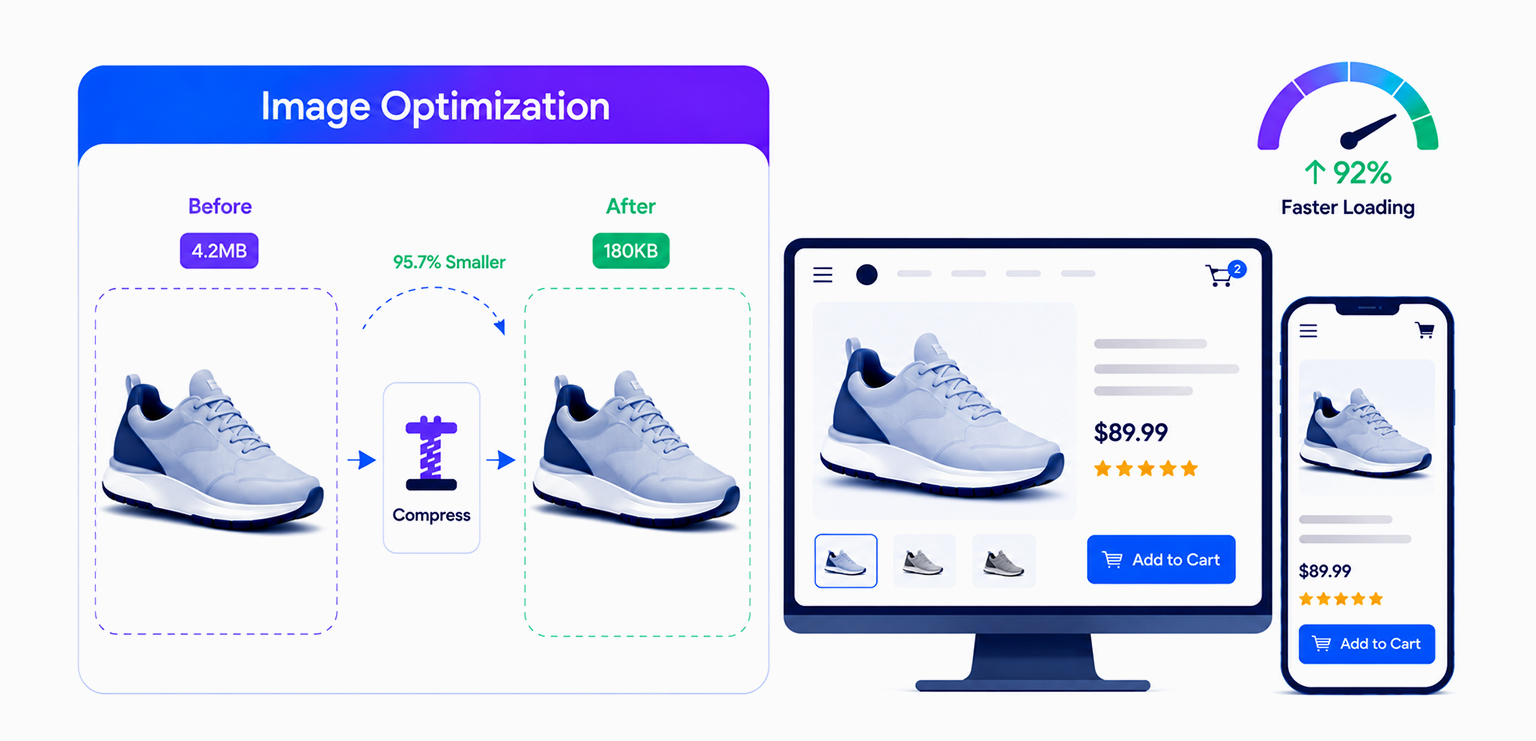
TL;DR: Product image optimization for ecommerce reduces image file sizes without hurting visual quality. Using modern formats like WebP and AVIF, responsive images, compression, lazy loading, and CDN delivery helps improve page speed, SEO rankings, Core Web Vitals, and ecommerce conversions.
Product images play a major role in ecommerce conversions. They help customers evaluate products, build trust, and make purchase decisions. But if those images are not optimized properly, they can also slow down your website, hurt Core Web Vitals, and create frustrating mobile experiences.
This is why product image optimization for ecommerce has become one of the most important parts of online store SEO and performance in 2026.
Modern online stores are expected to deliver high-quality product visuals without compromising page speed. In this guide, you’ll learn practical strategies to optimize product images, and create faster product pages that support better user experience, SEO, and conversions.
Quick Steps for Product Image Optimization for Ecommerce
Product image optimization for ecommerce involves preparing and delivering images in a way that keeps them visually clear while reducing their impact on website speed. It helps ecommerce stores create faster-loading product pages, better mobile experiences, and stronger SEO performance.
To optimize product images for ecommerce effectively:
- Resize product images to the correct display dimensions before uploading
- Compress images to reduce file size without affecting visual quality
- Use modern formats like WebP or AVIF instead of large PNG or JPEG files
- Enable responsive images for better mobile performance
- Lazy load offscreen product gallery images
- Add descriptive alt text and SEO-friendly file names
- Use bulk image optimization tools like Image Optimizer Pro to automate optimization for large ecommerce catalogs
- Test page speed and Core Web Vitals after optimization using tools like PageSpeed Insights or Lighthouse
Why Product Image Optimization Matters for Ecommerce
Images are usually the heaviest assets on ecommerce websites. A typical product page can contain product gallery images, zoom images, variant images, lifestyle photos, and recommendation thumbnails. If these images are not optimized, they quickly increase page weight and loading time.
This directly affects:
- User experience
- Mobile performance
- Bounce rates
- SEO visibility
- Conversion rates
Google’s Core Web Vitals also place strong emphasis on loading performance, especially Largest Contentful Paint (LCP), which is often affected by large product images. Studies analyzing Core Web Vitals consistently show that images are commonly the largest visible element on ecommerce pages.
For ecommerce stores, faster product pages are no longer just a technical improvement. They are part of the shopping experience itself.
What Is Product Image Optimization?
Product image optimization is the process of reducing image size and improving image delivery while maintaining visual quality. The goal is not simply to make images smaller. The goal is to make them load faster without affecting how customers perceive the product. Effective ecommerce product image optimization usually includes:
- Compression
- Proper image sizing
- Modern image formats
- Responsive delivery
- Lazy loading
- CDN optimization
- Metadata cleanup
When done correctly, customers still see sharp, detailed product images while pages load significantly faster.
How Product Images Affect Ecommerce Performance
Product images directly affect ecommerce performance by influencing page speed, Core Web Vitals, mobile experience, SEO rankings, and conversion rates, especially when large or unoptimized images increase page load time.
Page Speed
Large images dramatically increase total page weight. For example, if a product page contains:
- 8 images
- 500 KB each
That single page already loads 4 MB of image assets before scripts, fonts, or videos are included on mobile networks, which creates noticeable delays. Optimizing ecommerce images reduces bandwidth usage and helps pages render faster across all devices.
Core Web Vitals
Product images heavily affect Google’s Core Web Vitals metrics.
- Largest Contentful Paint (LCP)
The main product image is often the LCP element. Oversized images slow down how quickly users see meaningful content.
- Cumulative Layout Shift (CLS)
Missing image dimensions cause page elements to shift during loading, hurting CLS.
Example:
<img
  src="product.webp"
  width="1200"
  height="1200"
  alt="Leather backpack">
Adding dimensions prevents layout instability.
- Interaction to Next Paint (INP)
Heavy image decoding can increase rendering work and affect responsiveness on slower devices.
SEO Visibility
Faster websites often improve user experience and make it easier for search engines to crawl pages efficiently.
- Google Image Search visibility
- Mobile usability
- Page experience signals
- Organic rankings
Good product image optimization supports SEO both technically and visually.
Best Image Formats for Ecommerce in 2026
Choosing the right image format is an important part of product image optimization for ecommerce. Modern image formats can significantly reduce file sizes while preserving visual quality, helping product pages load faster across desktop and mobile devices.
The table below compares the most common image formats used by ecommerce websites in 2026.
| Format | Recommended Use |
|---|---|
| WebP | Detect Core Web Vitals issues |
| AVIF | Best for achieving the smallest image file sizes where supported |
| JPEG | Useful when compatibility with older systems is required |
| PNG | Best for images with transparent backgrounds |
| SVG | Best for logos, icons, and vector graphics |
For most ecommerce stores, WebP remains the preferred format because it offers strong compression, broad browser compatibility, and wide platform support. AVIF can provide even smaller file sizes, but support across ecommerce platforms, optimization workflows, and third-party tools may still vary.
How to Optimize Product Images for Ecommerce
Optimizing product images for ecommerce involves resizing, compressing, and delivering images efficiently so product pages load faster without compromising visual quality.
Step 1: Resize Product Images Properly
Before uploading product photos, resize them to the maximum dimensions actually used on your ecommerce website.
For most stores:
- Thumbnails: 300–500 px
- Collection pages: 600–800 px
- Product pages: 1200–1600 px
Uploading oversized images only increases page weight and slows down loading speed.
Step 2: Compress Product Images
After resizing, compress the images to reduce file size without noticeably affecting quality. For ecommerce product image optimization, moderate lossy compression usually provides the best balance between quality and performance.
If you manage a large ecommerce catalog, manually optimizing every image can become time-consuming. Tools like Image Optimizer Pro help automate bulk image optimization, making it easier to compress large batches of product images consistently while reducing manual work.
Step 3: Use Modern Image Formats
Convert product images to modern formats like WebP or AVIF instead of relying only on JPEG or PNG. These formats offer better compression and improve ecommerce image performance significantly, especially on mobile devices.
Step 4: Enable Responsive Images
Responsive images ensure users download image sizes appropriate for their device instead of unnecessarily large desktop versions.
Example:
<img
    src="product-800.webp"
  srcset="
    product-400.webp 400w,
    product-800.webp 800w,
    product-1200.webp 1200w"
  sizes="(max-width: 768px) 100vw, 50vw"
  alt="Product
>
Step 5: Lazy Load Product Gallery Images
Enable lazy loading for offscreen product images so they load only when users scroll near them.
<img src="product.webp" loading="lazy" alt="Product"
>
This improves initial page speed and reduces unnecessary bandwidth usage.
Step 6: Test Ecommerce Page Speed After Optimization
After optimizing product images, test the page using tools like:
Check whether image optimization improved:
- Largest Contentful Paint (LCP)
- Mobile page speed
- Total page weight
- Core Web Vitals performance
This helps confirm that your ecommerce image optimization efforts are actually improving real-world website performance.
Product Image SEO Best Practices
Product image optimization supports more than page speed. Proper image SEO can help ecommerce stores improve accessibility, strengthen page relevance, and increase visibility in Google Images.
To improve product image SEO:
- Use descriptive file names instead of generic names like IMG1234.jpg
- Write clear alt text that accurately describes the product image
- Use responsive images to support mobile users
- Include product images in XML sitemaps when possible
- Avoid embedding important text within images
Well-optimized product images help search engines better understand page content while supporting a better user experience for shoppers.
Lossy vs Lossless Compression
Understanding Lossy vs Lossless Compression is important when optimizing product images for ecommerce because the type of compression directly affects image quality, file size, and page speed.
Lossy Compression
Lossy compression reduces image file size by permanently removing some image data that is less noticeable to the human eye.
Advantages:
- Much smaller file sizes
- Faster page loading
- Better ecommerce image performance
- Improved mobile experience
Lossy compression is commonly used for product photos, collection banners, and lifestyle images because it delivers strong compression without causing obvious quality loss.
Most ecommerce stores rely on lossy compression for everyday product photography since the visual difference is usually minimal for shoppers, while the performance improvement can be significant.
Lossless Compression
Lossless compression reduces file size without removing any image data, which means the image quality remains completely unchanged.
Advantages:
- No quality loss
- Preserves full image detail
- Better for transparent graphics and design assets
Lossless compression works best for logos, icons, UI elements, and graphics where maintaining exact image quality is important. However, because lossless files are typically larger, they are usually not the best choice for standard ecommerce product photography where page speed matters more.
Common Ecommerce Product Image Optimization Mistakes to Avoid
Many ecommerce websites struggle with slow-loading product pages because of avoidable image optimization mistakes that increase page weight and hurt overall website performance.
Uploading Raw Camera Files
Original camera images are far too large for ecommerce websites. Always resize and compress before publishing.
Using PNG for Product Photos
PNG files are often unnecessarily large for photography. WebP or AVIF usually provide far better performance.
Ignoring Mobile Optimization
Mobile users often experience the worst effects of oversized ecommerce images. Always test image performance on slower mobile connections.
Overcompressing Images
Aggressive compression can make products appear blurry or low quality, which hurts trust and conversions. The goal is optimization, not maximum compression.
Conclusion
Product image optimization for ecommerce is no longer just a technical enhancement. It directly affects website speed, Core Web Vitals, SEO visibility, and conversion performance.
The most effective ecommerce image optimization strategies focus on balancing image quality with loading speed through modern formats, responsive delivery, compression, lazy loading, and scalable automation.
When ecommerce stores optimize product images correctly, they create faster, smoother, and more reliable shopping experiences across every device.
FAQs
Q1. Why is product image optimization important for ecommerce websites?
Q2. How do product images affect ecommerce page speed?
Q3. What image size is best for ecommerce product pages?
Q4. Does lazy loading help optimize product images?
Q5. Can image optimization improve ecommerce conversions?
Q6. Is WebP better than JPEG for ecommerce?
Q7. What is the difference between lossy and lossless compression?
2 June, 2026
Leave a Comment
Ishan Makkar
He is a web performance specialist focused on image optimization and site speed. As the founder of Image Optimizer Pro, he helps businesses reduce image load times and improve Core Web Vitals. His work centers on delivering faster websites, better user experience, and measurable SEO gains without complex development.