
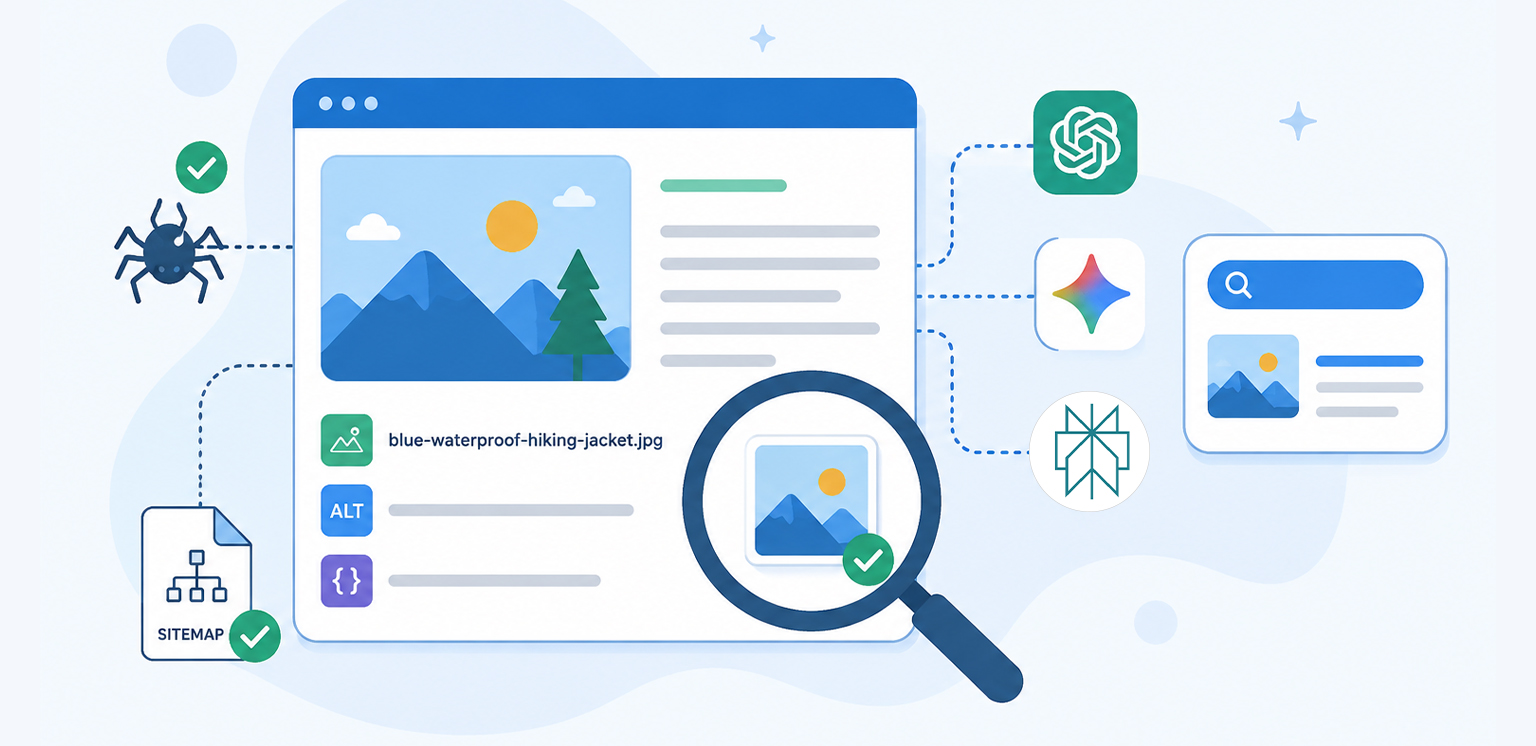
TL;DR: Image optimization for AI search is less about optimizing an image for a specific AI model and more about making your images easy for search systems to discover, understand, index, and associate with relevant content. Use descriptive filenames and alt text, provide contextual page content, keep images crawlable, use structured data where appropriate, submit image sitemaps, and maintain strong technical SEO and page performance.
Images are becoming part of how people discover and understand information, not just something added to make a webpage look better.
Search is becoming increasingly multimodal. Google can surface images in Search, while AI-powered experiences such as ChatGPT, Gemini, and Perplexity can use web content and visual information in different ways.
That creates a practical SEO question: how do you optimize images for AI search without chasing a separate optimization trick for every platform?
The answer is surprisingly familiar. Good image SEO for AI search starts with the same fundamentals that help search engines understand images: crawlability, useful context, descriptive text, appropriate technical implementation, and strong overall page quality.
Quick Checklist for Optimizing Images for AI Search
Use this quick checklist to make your images easier to discover, understand, and index across AI-powered search and traditional search engines.
| Image Optimization Factor | Why It Matters for AI Search |
|---|---|
| Descriptive image filename | Provides search systems with useful textual context about the image. |
| Relevant alt text | Helps describe the image and its relationship to the page. |
| Surrounding content | Helps establish what the image represents. |
| Crawlable image URL | Allows search systems to discover and access the asset. |
| Image sitemap | Provides another discovery path, particularly for hard-to-find images. |
| Image structured data | Helps machines understand relationships between images and page entities. |
| Appropriate dimensions and compression | Improves usability and page performance. |
| High-quality, original visuals | Adds unique value beyond generic imagery. |
| Consistent page and image topic | Reinforces relevance and context. |
The key takeaway is simple: there is no reliable “ChatGPT image SEO” hack or special Gemini image optimization tag. Google explicitly says its existing SEO best practices remain relevant to AI features such as AI Overviews and AI Mode, with no additional technical requirements specifically for AI features.
What Is Image Optimization for AI Search?
Image optimization for AI search means making website images technically accessible and semantically understandable so search engines and AI-powered search systems can discover, interpret, and potentially surface them when they are relevant to a user’s query.
This is an important distinction.
You are not really optimizing an image for ChatGPT or for Perplexity in isolation. You are optimizing the image and its webpage for the broader search ecosystem that AI systems increasingly use to retrieve information.
For example, suppose an ecommerce website publishes an image of a blue waterproof hiking jacket.
An image called IMG_8291.jpg gives very little useful context.
A filename such as blue-waterproof-hiking-jacket.jpg, combined with descriptive alt text, relevant product information, a crawlable image URL, appropriate structured data, and a useful product page, creates a much stronger context around that image.
That context can help with image indexing, image discoverability, traditional image SEO, and AI search visibility.
How AI Search Engines Use Website Content and Images
AI search does not work as one universal system. ChatGPT, Gemini, Perplexity, and Google Search have different architectures and retrieval systems.
For website owners, however, one principle matters: your content needs to be discoverable and understandable before an AI system can potentially use it.
ChatGPT Search
ChatGPT Search can search the web, use external search providers, and return links to relevant sources. OpenAI also notes that search results may sometimes include images, with the image source available through the result.
For publishers, this means ChatGPT image visibility depends on more than the image itself. The image should live on an accessible webpage with clear topical relevance.
OpenAI says websites should allow OAI-SearchBot to crawl their content to help make the site eligible for inclusion in ChatGPT Search. However, allowing the crawler does not guarantee that a particular page or image will appear for a specific query.
Gemini
Gemini is built to work with multimodal information, but website owners should not interpret that as requiring a separate “Gemini image SEO” implementation. For websites, the practical foundation remains crawlable content, useful page context, descriptive image information, and technically sound image delivery.
In other words, optimizing images for Gemini should be approached as an extension of good technical and image SEO rather than as a separate ranking system.
Perplexity
Perplexity searches the web, identifies sources, and synthesizes information into answers with citations.
Perplexity also documents how its crawler follows robots.txt directives. Perplexity says that if PerplexityBot is blocked by robots.txt, it will not index the site’s full or partial text content, although some basic page information may still be indexed.
So Perplexity image optimization starts with the same basic principle: make the relevant page and resources accessible to crawlers rather than trying to optimize exclusively for an AI platform.
10 Ways to Optimize Images for AI Search
Optimizing images for AI search starts with the same fundamentals that make visual content easier for search engines to discover and understand. These practical steps cover everything from filenames and alt text to image indexing, structured data, and page performance.
1. Use Descriptive, Human-Readable Image Filenames
Image filenames are a small part of image SEO, but they can provide additional context about what an image represents.
Instead of:
DSC00491.jpguse:
black-leather-office-chair.jpgThe filename should describe what the image actually contains. Avoid turning it into a string of keywords such as:
best-office-chair-office-chair-cheap-office-chair.jpgThat does not create better context. It simply looks unnatural. For ecommerce websites, product-specific filenames can be particularly useful:
mens-blue-running-shoes-side-view.webpThe filename should support the topic of the page rather than compete with it.
2. Write Useful Image Alt Text
Image alt text remains an important part of accessible and understandable image implementation.
Good alt text describes the image accurately when that description is useful to someone who cannot see it.
For example:
<img
  src="/images/blue-running-shoes.webp"
  alt="Blue men's running shoes with cushioned soles">
Avoid stuffing keywords into alt text:
alt="best running shoes men's running shoes blue running shoes"Google recommends descriptive alt attributes and notes that, for images used as links, the alt text can also help provide anchor-text context. The goal is not to write alt text for an AI crawler. The goal is to accurately describe the image for users and search systems alike.
3. Put Images on Relevant, High-Quality Pages
An image rarely exists in isolation. The surrounding page tells search systems what the image means. A product photograph placed on a detailed product page has much stronger context than the same photograph uploaded to an unrelated page.
This is particularly important for image optimization for generative AI . AI systems need enough surrounding information to understand what an image represents and why it is relevant to a query.
For example, a chart showing website performance metrics should appear alongside content explaining those metrics. A product image should appear with product information. An original research graphic should be accompanied by the research it represents.
Think of the image and webpage as a single information unit.
4. Make Your Images Crawlable and Indexable
Excellent optimization cannot compensate for an image that search crawlers cannot access.
Check whether:
- The image URL is publicly accessible.
robots.txtdoes not unnecessarily block the image.- The page containing the image can be crawled.
- The image is not hidden behind authentication.
- Important images are available in rendered HTML where appropriate.
- Your CDN does not prevent legitimate crawlers from accessing assets.
Google specifically recommends checking whether an image can be crawled and indexed through Search Console.
Also remember that robots.txt controls crawling; it should not be treated as a general indexing-control mechanism. If you suspect indexing problems, this is also worth checking alongside your existing image indexing troubleshooting content.
5. Use an Image Sitemap for Important Images
An image sitemap can provide search engines with another way to discover images. Google says image sitemaps can be particularly useful for images that might otherwise be difficult to discover, including images reached through JavaScript.
A basic image sitemap can look like this:
<url>
  <loc>https://example.com/product/blue-shoes</loc>
  <image:image>
    <image:loc>
      https://example.com/images/blue-running-shoes.jpg
    </image:loc>
  </image:image>
</url>
You do not necessarily need a separate image sitemap file. Google allows image sitemap information to be added to an existing XML sitemap, so you can use the approach that best fits your site. For large ecommerce sites with thousands of product images, an image sitemap can provide an additional discovery path for important visual assets.
6. Use Relevant Image Structured Data and Metadata
Image structured data can provide search engines with additional information about an image and its relationship to the page. For suitable implementations, Schema.org’s ImageObject can describe an image and properties associated with it.
A simplified example is:
{
  "@context": "https://schema.org",
  "@type": "ImageObject",
  "contentUrl": "https://example.com/images/product.jpg",
  "caption": "Blue waterproof hiking jacket",
  "description": "Front view of a blue waterproof hiking jacket"
}
Do not add ImageObject simply because you want an AI system to notice an image. Use structured data when it accurately describes the image and fits the page’s existing implementation. Structured data can support how search engines understand and display content, but it does not guarantee rankings or a particular search appearance.
For pages that already use structured data for products, articles, recipes, or other entities, connecting relevant image information can provide useful additional context.
You can also specify which image should represent the page. Depending on the page setup, Google supports using primaryImageOfPage, an image associated with the main entity, or the og:image meta tag to indicate a preferred image. Choose an image that is relevant to the page, representative of its content, and high enough in resolution for the intended use.
7. Add Relevant Image Metadata Where Appropriate
Image metadata SEO is another consideration, particularly for original photography, editorial imagery, and licensed content.
Google supports structured data and IPTC photo metadata for certain image metadata features, such as licensing information. This is different from keyword-stuffing metadata fields.
If an image has meaningful creator, copyright, licensing, or attribution information, preserving that information can help establish provenance and usage details.
For brands publishing original photography or research graphics, that is worth maintaining.
8. Optimize Image Size Without Destroying Visual Quality
AI search visibility does not mean much if your website provides a poor experience.
Large images increase page weight, which can affect loading performance and user experience. Image optimization should therefore cover both discoverability and delivery.
Use the appropriate dimensions for the actual display size, compress unnecessary data, and choose modern formats where browser support and your implementation make sense.
For example, WebP and AVIF can significantly reduce file sizes compared with many traditional image formats, although the best format depends on the image and browser delivery strategy.
For larger sites, compressing images in bulk can help maintain consistency.
9. Use Responsive Images and Appropriate Dimensions
Serving one huge image to every device is inefficient. Responsive image techniques let browsers select a more appropriate resource for the user’s viewport and device.
A simple implementation can look like:
<img
  src="product-800.webp"
  srcset="
    product-400.webp 400w,
    product-800.webp 800w,
    product-1200.webp 1200w"
  sizes="(max-width: 600px) 100vw, 800px"
  alt="Blue waterproof hiking jacket">
This is particularly relevant for ecommerce sites where product galleries can become image-heavy.
Image dimensions also need to match the intended display area. If an image is displayed at 600 pixels wide, routinely serving a 3000-pixel asset wastes bandwidth.
10. Protect Image Performance While Improving Discoverability
There is an easy mistake to make here: adding optimization features without considering how they affect loading. Not every image should be lazy-loaded.
Above-the-fold images, particularly the main visual associated with a page, may need to load early. Lower-page images can generally use lazy loading when appropriate.
Google’s image SEO guidance focuses on making images discoverable and optimizing their landing pages, while page experience remains an important part of technical SEO.
How to Optimize Images for Google AI Overviews
There is no separate image optimization checklist that guarantees inclusion in Google AI Overviews. Google says the same foundational SEO practices used for regular Search remain relevant to AI Overviews and AI Mode. A page must be indexed and eligible to appear in Google Search to be eligible as a supporting link in these AI experiences.
That makes the practical approach straightforward:
Optimize the image → optimize the page → make both accessible → provide clear context → build useful content.
For example, if you publish an original infographic about ecommerce conversion rates, do not rely on the graphic alone. Explain the data in HTML text, give the image a descriptive filename and alt text, make the image crawlable, and place it on a page that directly answers the relevant query.
The text gives search systems clear, machine-readable context, while the image adds visual information that can complement the page.
Do ChatGPT, Gemini, and Perplexity Need Different Image SEO?
Not really. The core principles of image SEO for AI search remain the same, although each platform may discover and use web content differently.
| Platform | Practical Image Visibility Focus |
|---|---|
| ChatGPT Search | Crawlable pages, relevant content, accessible sources, strong contextual SEO. |
| Gemini | Strong Google Search fundamentals, structured content, accessible and relevant visual information. |
| Perplexity | Crawlable content, relevant pages, trustworthy sources, clear context. |
| Google AI Overviews | Indexed pages that meet Google’s existing technical and content requirements. |
Avoid building three separate image strategies around assumptions about proprietary ranking systems.
For images for ChatGPT, focus on web discoverability and source quality.
For images for Gemini, focus on Google’s established image and search best practices.
For images for Perplexity, ensure relevant pages can be crawled and provide useful, authoritative information.
For Google AI Overviews image optimization, concentrate on the same technical and content fundamentals Google already recommends.
Common Image Optimization Mistakes That Hurt AI Search Visibility
Some of the biggest problems are surprisingly basic.
Using generic filenames, leaving important images without meaningful alt text, blocking image URLs, hiding essential images behind scripts, serving enormous files, and publishing images without relevant surrounding content can all weaken your overall image discoverability.
Another common mistake is assuming that structured data alone will make an image appear in AI results. It will not.
Structured data can help machines understand content, but it is only one signal among many. Google’s documentation explicitly says structured data does not guarantee a particular appearance in search.
Likewise, optimizing every image with the same keyword-heavy alt text is not image SEO. It is poor optimization.
Before You Publish an Image: Quick SEO Checks
Before publishing an important image, ask:
- Is the image genuinely useful to the page?
- Does the filename describe what it shows?
- Is the alt text accurate and natural?
- Does the surrounding content explain its relevance?
- Can search crawlers access the image URL?
- Is the page itself crawlable and indexable?
- Would an image sitemap help discovery?
- Is structured data appropriate for the page?
- Are image dimensions appropriate for the display size?
- Is the file compressed without unacceptable quality loss?
- Are responsive images used where appropriate?
- Is lazy loading being applied selectively?
- Does the image contain original information, photography, data, or visual value?
- Can you verify crawling and indexing through Search Console?
For ecommerce websites, this checklist works particularly well alongside a broader ecommerce image optimization strategy, including product-specific practices.
Conclusion
Image optimization for AI search is ultimately an extension of good technical and semantic SEO, not a completely separate discipline.
Make your images easy to discover, describe them accurately, connect them to relevant page content, use structured data where it genuinely helps, and keep their technical delivery efficient. There is no need to create a separate image strategy for every AI platform; the goal is to make the image and the page around it clear, accessible, and useful. These practices improve image indexing, image discoverability, image SEO, accessibility, page performance, and overall AI search visibility at the same time.
Most importantly, optimize for understanding rather than for a particular AI platform. ChatGPT, Gemini, Perplexity, and Google AI features will continue to evolve, but clear content, accessible images, strong context, and technically sound websites remain durable foundations for search visibility.
Frequently Asked Questions
Q1: Can you optimize images specifically for ChatGPT search?
Q2: How do I optimize images for ChatGPT, Gemini, and Perplexity?
Q3: Does alt text help with AI search visibility?
Q4: Does an image sitemap improve AI search visibility?
Q5: Should I use an ImageObject schema for every image?
Q6: Can image optimization improve visibility in Google AI Overviews?
24 August, 2026
Leave a Comment
Ishan Makkar
He is a web performance specialist focused on image optimization and site speed. As the founder of Image Optimizer Pro, he helps businesses reduce image load times and improve Core Web Vitals. His work centers on delivering faster websites, better user experience, and measurable SEO gains without complex development.