
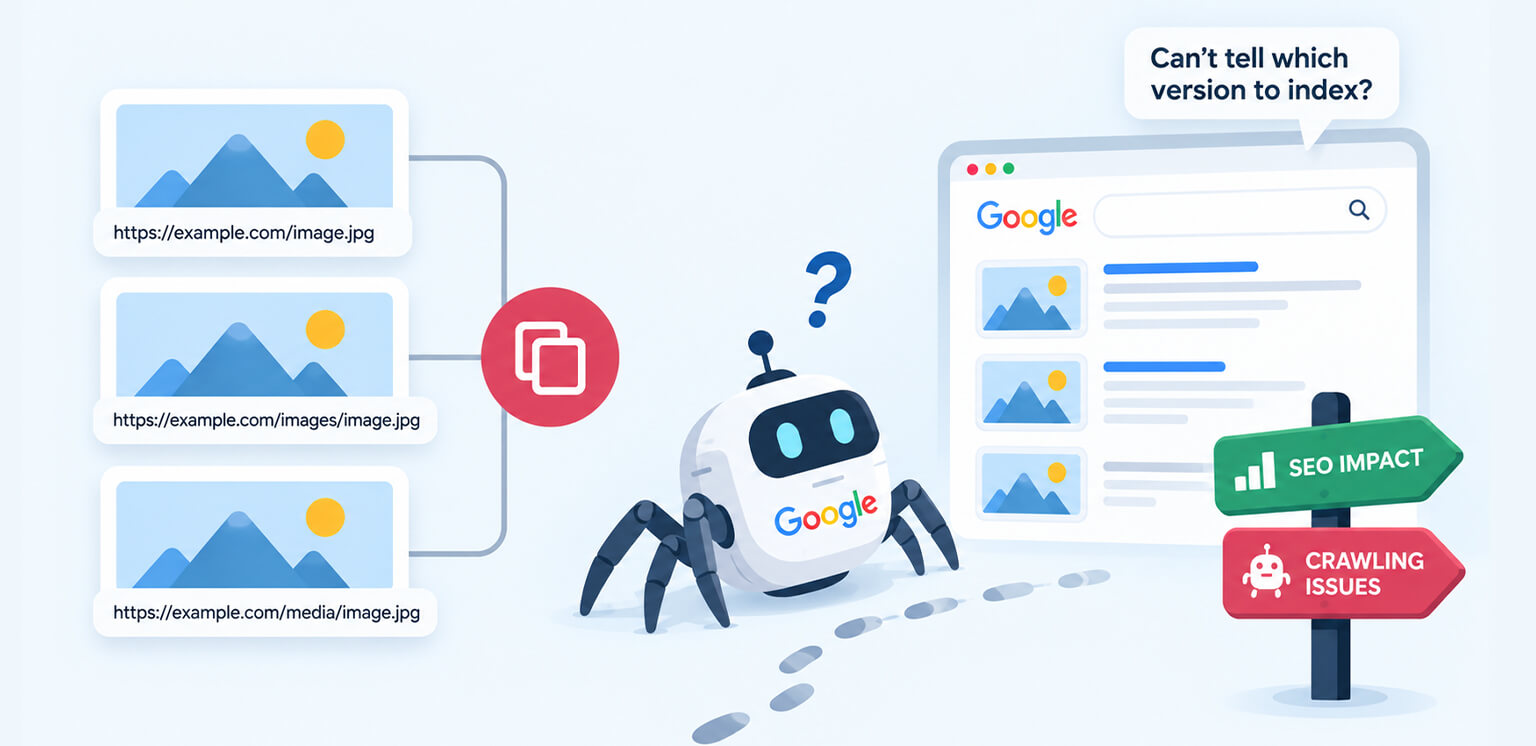
TL;DR: Duplicate image URLs happen when the same image is available through multiple URLs. They usually do not create a duplicate-content penalty, but they can make image crawling less efficient, increase unnecessary requests, complicate image indexing, and make it harder to maintain consistent image signals. Using consistent image URLs, avoiding unnecessary URL variations, and cleaning up outdated image paths can help Google crawl and process images more efficiently.
A single product image can easily end up with several URLs on a modern ecommerce site. The same file might be served from a CDN, an origin server, a resized-image endpoint, a query-string URL, or different paths generated by a CMS.
For example, these URLs might all return the same image:
https://example.com/images/blue-shoes.jpg
https://cdn.example.com/images/blue-shoes.jpg
https://example.com/images/blue-shoes.jpg?width=1200
https://example.com/media/catalog/blue-shoes.jpg
This is where duplicate image URLs become an SEO and crawling consideration.
The important distinction is that multiple URLs for the same image are not automatically a duplicate-content problem in the same way that duplicate HTML pages can be. The bigger concern is crawl efficiency, image discovery, caching, indexing consistency, and technical maintenance.
Duplicate Image URLs: Effects on SEO and Crawling
Duplicate image URLs are not inherently an SEO problem. The main concern is unnecessary URL variation, which can make image crawling and resource management less efficient, especially on large websites with many images.
| Effect | What It Means | Fix |
|---|---|---|
| Unnecessary crawling | Multiple URLs for the same image can create additional URLs for Google to process. | Use one stable URL when the same image is reused. |
| Less consistent image discovery | Frequently changing or inconsistent URLs can make image processing less predictable. | Keep image URLs stable and consistent across pages. |
| Duplicate image indexing | Google may encounter the same image through multiple URLs, creating unnecessary variations to process. | Remove unnecessary duplicate URLs and keep legitimate image variants purposeful. |
| More complex SEO management | Multiple image URLs make redirects, sitemaps, CDN rules, and image audits harder to maintain. | Standardize image URLs and update internal references. |
| Unnecessary URL variations | Query parameters, dynamic tokens, or different paths may expose the same image repeatedly. | Remove parameters that do not actually change the image. |
| Outdated image URLs | Old URLs can remain accessible after migrations or image CDN changes. | Redirect obsolete URLs to their relevant replacement when appropriate. |
What Are Duplicate Image URLs?
Duplicate image URLs occur when the same image file can be accessed through two or more different URLs. This can happen intentionally or accidentally. An ecommerce platform, for example, may generate several versions of a product image:
/product/shoe.jpg
/product/shoe?width=800
/product/shoe?width=1200
/cdn-cgi/image/width=1200/product/shoe.jpg
Some of these URLs may represent genuinely different image resources because they have different dimensions or formats. Others may simply be different addresses for exactly the same underlying file.
That distinction matters.
A responsive image implementation using different sizes for different viewport widths is not necessarily image URL duplication. In fact, Google’s image SEO documentation specifically supports srcset and responsive image techniques.
The problem is unnecessary duplication, such as generating several URLs that all return the same 1200px JPEG without any meaningful difference. Legitimate variations, such as different dimensions or formats used for responsive delivery, are not the same thing.
Why Do Multiple URLs for the Same Image Happen?
There are several common causes of the same image having different URLs.
1. CDN and origin URLs
A website may have an original image hosted at:
https://example.com/uploads/product.jpg
while the page references:
https://cdn.example.com/uploads/product.jpg
Using a CDN is not inherently an SEO problem. Google explicitly supports images hosted on CDNs, including through image sitemaps. The concern arises when the same image is unnecessarily exposed through both the CDN and origin URL across different pages.
2. Image transformation parameters
Image optimization and CDN systems commonly generate URLs containing parameters such as:
?width=800
?quality=80
?format=webp
These can be legitimate because they may return a different image representation. But if changing or adding parameters does not actually change the returned image, the URLs become unnecessary duplicates.
3. CMS-generated image paths
WordPress, ecommerce platforms, media libraries, and custom CMSs can create multiple paths for the same asset. A migration can make this worse when old image directories remain accessible while new URLs are introduced.
4. Dynamic or constantly changing URLs
Some systems append changing tokens, timestamps, or session parameters to image URLs:
/image/product.jpg?v=172839
/image/product.jpg?v=172840
If the actual image has not changed, constantly changing its URL creates unnecessary variation.
Google specifically advises against image URLs that change every time a page loads because its systems may not be able to process and index those resources properly.
What Happens When the Same Image Has Multiple URLs?
Duplicate image URLs do not work exactly like duplicate HTML pages, so they should not be treated as a direct duplicate-content penalty. The bigger issue is what happens when search engines repeatedly encounter the same image through multiple URLs.
For a small website, a few duplicate image URLs are unlikely to make a noticeable difference. On a large ecommerce site with thousands of product images, however, unnecessary image URL variations can create a much larger technical SEO problem.
1. They Can Create Unnecessary Image Crawling
When the same image is available at several URLs, Google has multiple resource URLs to discover and process. For example:
https://example.com/images/product-123.jpg
https://cdn.example.com/images/product-123.jpg
https://example.com/images/product-123.jpg?width=1200
https://example.com/images/product-123.jpg?v=2
If these URLs all return essentially the same image, they provide little additional value while creating more URL variations for Google’s systems to encounter.
This matters most on large websites. An ecommerce store with 50,000 product images can generate a significant number of image URLs through responsive-image systems, CDNs, CMS paths, and transformation parameters.
Google recommends using the same image URL when the same image is referenced across a large website because this allows Google to cache and reuse the image rather than requesting it repeatedly.
The practical effect: Duplicate image URLs can make image crawling less efficient, particularly when duplication exists at scale.
2. They Can Make Image Discovery Less Consistent
Google needs to discover an image URL before it can process the image. If your site consistently references:
https://cdn.example.com/products/blue-shoes.jpg
Google can repeatedly encounter the same resource URL. But if different pages reference:
https://example.com/products/blue-shoes.jpg
https://cdn.example.com/products/blue-shoes.jpg
https://cdn.example.com/products/blue-shoes.jpg?width=1200
The image is being exposed through multiple URLs. That does not mean Google cannot understand that the files represent the same image. It means your site’s image discovery signals are less consistent than they need to be.
This becomes particularly important after website migrations, CDN changes, or image-system replacements, when old and new URLs can coexist for months.
3. They Can Complicate Image Indexing
Duplicate image indexing should not be confused with duplicate-page indexing.
Google may encounter the same visual asset through different URLs, but the objective should not be to make every URL an independently discoverable image resource.
A better approach is to make the image’s important signals consistent: its URL, surrounding page context, filename, alt text, and structured data where applicable.
URL stability also matters during site changes. Google notes that changing image URLs can temporarily affect image traffic because the new URLs need to be discovered and processed.
For example, changing:
/images/product-123.jpg
to:
/cdn/products/product-123.jpg
may be completely reasonable during a migration. The problem is leaving several versions active and continuing to reference them inconsistently.
The practical effect: Frequent image URL changes can make image discovery and processing less predictable, while unnecessary duplicate URLs make the overall indexing system harder to manage.
4. They Can Reduce the Efficiency of Large-Scale Image Crawling
This is where duplicate image URLs become more significant for ecommerce SEO.
Imagine a store has:
- 20,000 product images
- 3 URLs exposed for many images
- several additional URLs created by resizing or query parameters
The issue is not simply that “Google sees duplicates.” The bigger issue is that the website is creating a much larger pool of image URLs than the number of genuinely unique image resources requires.
Google’s crawling systems have finite resources to process websites. Google describes crawl budget in terms of how many URLs Googlebot can and wants to crawl on a site during a given period.
Duplicate image URLs are therefore worth addressing at scale, particularly when a website already generates a very large number of URLs.
This does not mean every duplicate image URL will directly consume crawl budget in a way that causes important pages to be ignored. That would be an overstatement. Instead, unnecessary image URL variations are another source of URL complexity that large sites should control.
5. They Can Create Problems During Migrations and CDN Changes
Website migrations are one of the most common situations where image URL duplication becomes noticeable.
For example, a site might move from:
https://example.com/uploads/product.jpg
to:
https://images.examplecdn.com/product.jpg
If the old URL remains active while new pages use the CDN URL, the same image now has two accessible locations. That is not automatically wrong. A CDN can legitimately serve the same image, and Google supports images hosted on CDNs.
The concern is unnecessary or inconsistent use of those URLs. If some pages use the origin URL, others use the CDN URL, and the image sitemap uses yet another URL, the site’s image architecture becomes unnecessarily fragmented.
A migration should therefore establish a consistent image URL structure and update internal references accordingly.
Does Google Treat Duplicate Image URLs Like Duplicate Pages?
Not exactly. Google’s canonicalization system is designed to identify the representative URL among duplicate or substantially similar pages. That process should not be treated as a canonical-tag solution for individual image files. Instead, the practical approach for images is to choose a stable URL and use it consistently wherever the same image is referenced.
That does not mean you should try to add:
<link rel="canonical" href="https://example.com/image.jpg">
to an image file.
Image resources do not work like HTML pages in this respect. Instead, the practical approach for image URL canonicalization is to establish one stable image URL as the normal reference point and use that URL consistently wherever the image appears.
If an old image URL needs to be retired, a permanent redirect can be appropriate when the old resource has a direct replacement. Google’s general URL consolidation guidance recommends redirects when you want to eliminate old duplicate URLs.
How to Choose a Preferred Image URL
When you find two or more URLs that appear to serve the same image, ask these three questions:
1. Do both URLs return the same image?
If they return the same file or an effectively identical image, determine whether both URLs are actually necessary.
2. Does the URL variation serve a legitimate purpose?
Different dimensions, formats, or meaningful image transformations can be legitimate. A URL that changes only because of an unnecessary parameter, timestamp, or token usually adds little value.
3. Can one stable URL be used consistently?
If there is no technical reason to maintain multiple URLs, choose one stable image URL and use it consistently across the site.
The goal is not to force every image variant into a single URL. Responsive images, different dimensions, and modern formats can all have legitimate uses. The goal is to eliminate unnecessary duplicate image URLs and make the site’s image architecture predictable.
How to Fix Duplicate Image URLs
Fixing image URL duplication is less about eliminating every technically different image URL and more about removing unnecessary variations. The right fix depends on why the duplication exists.
| Cause | Recommended Fix |
|---|---|
| CDN and origin URLs are both used | Choose a consistent public image URL and update internal references. |
| Unnecessary query parameters | Remove parameters that do not change the returned image. |
| Old image paths after migration | Redirect retired URLs to their relevant replacements where appropriate. |
| Multiple CMS-generated paths | Standardize the image path used by templates. |
| Dynamic image URLs | Avoid changing URLs when the underlying image has not changed. |
| Legitimate responsive image variants | Keep them when they serve different dimensions or formats. |
| Duplicate sitemap references | Keep image sitemap URLs consistent with the URLs used on the site. |
The goal is not to force every image on a website into one URL. The goal is to eliminate unnecessary URL duplication while preserving legitimate image variations.
That distinction is important for modern ecommerce sites using responsive images, image CDNs, WebP, AVIF, and automated image transformations.
1. Choose a stable image URL
Decide which URL should be the primary reference for an image. For example:
https://cdn.example.com/products/blue-running-shoes.jpg
Then use that URL consistently wherever the same image is required. This is especially useful for shared assets such as logos, product images, category graphics, and editorial images.
2. Distinguish real variants from duplicate URLs
Do not consolidate URLs merely because they contain the same filename. These may represent legitimate resources:
shoe-400.jpg
shoe-800.jpg
shoe-1200.jpg
They serve different image dimensions. Likewise, a WebP or AVIF version may legitimately be a different resource from the original JPEG.
For responsive implementations, Google recommends using srcset and providing a fallback src URL.
The goal is not “one URL at all costs.” The goal is one stable URL for each genuinely shared image resource, while keeping legitimate responsive and format variants purposeful.
3. Remove unnecessary URL parameters
Audit image URLs containing parameters such as:
?size=
?width=
?quality=
?v=
?cache=
?timestamp=
Ask a simple question: Does this parameter actually change the returned image? If not, it may be creating unnecessary URL variations. Google recommends keeping URLs simple and using as few parameters as possible when they are unnecessary.
4. Update internal image references
Once you establish a consistent image URL, update your HTML, templates, structured data, image sitemaps, and CMS references to use it. For example:
<img
    src="https://cdn.example.com/products/blue-shoes.jpg"
    alt="Blue running shoes">
Google recommends standard HTML <img> elements because they make images easier for crawlers to discover. This also gives you a natural opportunity to review image SEO, alt text, filenames, responsive images, and page context together.
5. Redirect retired image URLs when appropriate
If an old image URL has been replaced permanently, redirecting the old URL to its direct replacement can help consolidate access paths. Avoid redirecting unrelated image URLs to a generic page or homepage. The replacement should represent the same resource.
6. Check your image sitemap
If your website uses an image sitemap, make sure it references the image URLs you actually want Google to discover. Google supports image sitemaps and allows image URLs hosted on a different domain, such as a CDN.
An image sitemap should reinforce your preferred URL structure rather than introduce another set of image URLs.
How to Find Duplicate Image URLs on a Website
A practical image crawling SEO audit should start with a URL inventory. For a large ecommerce site, export image URLs from your HTML, XML sitemaps, CMS media library, CDN logs, and structured data. Then compare the underlying resources.
| Pattern | What to investigate |
|---|---|
| Same filename, different paths | CMS or migration duplication |
| Same URL with different parameters | Image transformation or tracking parameters |
| CDN + origin URLs | Whether both are unnecessarily exposed |
| Changing timestamps/tokens | Dynamic URL generation |
| HTTP and HTTPS image URLs | Protocol inconsistency |
| Different case in paths | URL normalization issues |
| Multiple image sitemap URLs | Conflicting discovery signals |
For high-volume stores, server logs can provide another useful layer of evidence. If Googlebot repeatedly requests multiple URLs that return the same image, that is worth investigating.
You can also inspect important pages in Google Search Console and verify that Googlebot can access the page and its image resources. Google’s documentation recommends URL Inspection when troubleshooting whether Google can access content correctly.
Duplicate Image URLs vs. Image Optimization
It is important not to confuse URL duplication with image performance problems. Two URLs returning the same 2 MB JPEG create a URL-management problem, but compressing that JPEG does not automatically solve the duplication.
Likewise, changing a JPEG to WebP or AVIF may reduce file size without addressing whether your site unnecessarily references the same resource through multiple URLs.
For performance work, image compression, modern formats, responsive sizing, and loading behavior are separate, but related, concerns.
The cleanest approach is to handle both layers:
Stable URL → correct image variant → appropriate dimensions → efficient format → optimized file size → sensible loading strategy
A Simple Duplicate Image URL Audit
For most websites, especially ecommerce sites, this workflow is enough to identify the major issues:
- Export all image URLs used across important templates and pages.
- Normalize obvious differences such as protocol, host, parameters, and case.
- Identify URLs that return the same underlying image.
- Separate legitimate responsive or format variants from unnecessary duplicates.
- Choose consistent URLs for shared images.
- Replace inconsistent internal references.
- Redirect obsolete image URLs where appropriate.
- Check image sitemap entries.
- Review important image URLs in Search Console and server logs.
- Monitor whether new URLs are being generated after the fix.
This process becomes particularly valuable when optimizing thousands of product images because ecommerce platforms can generate image variations at considerable scale. A related product image optimization workflow can be considered alongside the URL audit.
Conclusion
Duplicate image URLs are usually a technical SEO and crawling-efficiency issue rather than a duplicate-content penalty.
The key is consistency. When the same image is repeatedly referenced using the same stable URL, Google can cache and reuse that resource instead of having to process unnecessary URL variations.
For large ecommerce websites, this becomes increasingly important because thousands of products can multiply even small URL inconsistencies. Audit your image URLs, separate legitimate responsive variants from unnecessary duplicates, remove avoidable URL variations, and keep your image references consistent.
A clean image URL structure gives Google fewer unnecessary URL variations to process and makes the image system much easier for your team to maintain.
FAQs
Do duplicate image URLs hurt SEO?
Does Google index the same image from different URLs?
Should I use canonical tags for duplicate image URLs?
Can duplicate image URLs affect Google Images traffic?
Are CDN image URLs bad for SEO?
How can I prevent image URL duplication?
9 September, 2026
Leave a Comment
Ishan Makkar
He is a web performance specialist focused on image optimization and site speed. As the founder of Image Optimizer Pro, he helps businesses reduce image load times and improve Core Web Vitals. His work centers on delivering faster websites, better user experience, and measurable SEO gains without complex development.