

TL;DR: Large images slow down websites. Efficient image optimization, including selecting the right format, resizing, and compressing properly, is important to improve website speed and overall performance. Learn how image size impacts website load and proven strategies to fix it for better performance.
Images are a great source for user engagement and conversions. If you’re aware of this fact, then chances are high that you have lots of images on your website, especially if you have an e-commerce site.
Adorning your pages with appealing images is good, but it is equally important to reduce image file size before uploading to improve overall site performance.
By focusing on image file size optimization, you’ll not only make your pages feel faster but also enhance user experience, improve search rankings, and reduce bandwidth usage. Whether you’re looking for the tools to compress images for the web or simply want to optimize images for faster loading, the strategies below will help you get there.
How Image Size Affects Website Load?

Images frequently account for a substantial portion of a page’s total weight. Google states in its report that images are the largest part of a web page.
Here’s how large images slow things down:
- A page filled with uncompressed images will demand more data to be downloaded by the browser, increasing the time it takes to render.
- On mobile, especially, where connections are slower, heavy images can dramatically degrade performance. As per the Hostinger study, the average mobile page load time can be 8.6 seconds or more, compared with much faster desktop times.
- Slow load times increase bounce rates. The probability of bounce rates significantly increases even if the page load time increases from a few seconds.
- Thus, the decision to reduce image file size is more than aesthetic; it’s fundamental to performance.
Why You Should Reduce Image File Size?
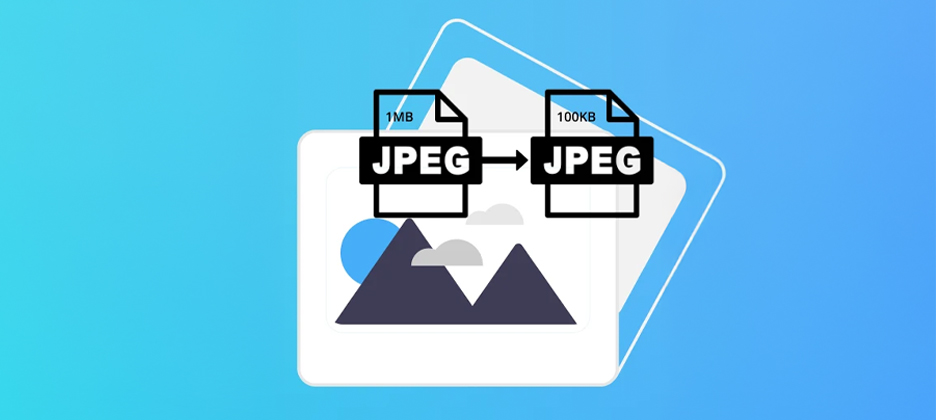
Reducing image file size can help you improve your page load times, user experience, and overall web performance to perform better at search engine rankings.
Faster Load Times
Smaller image files download more quickly, improving page speed, perceived load time, and the key metric of Largest Contentful Paint (LCP).
Improved User Experience
Users expect fast-loading pages. One study found that websites with properly optimized images can experience up to 25% faster loading times.
Better SEO and Core Web Vitals
Google’s algorithm considers page speed and user experience metrics for rankings. Oversized images that delay load times could hurt your ranking.
Bandwidth and Storage Savings
Large images consume more server storage and use up more bandwidth during delivery. Optimizing image file size helps lighten server load and can reduce hosting costs.
Mobile Performance
Because mobile connections are variable, and device hardware is less powerful, reducing image load time is especially critical for mobile users.
By tackling image file size, you’re addressing a major bottleneck in web-performance optimization and helping your site perform more smoothly for all visitors.
Proven Ways to Reduce Image File Size for Better Performance

Reducing image file size is one of the most effective ways to improve website loading speed and overall performance. Below are proven techniques that help you compress images without compromising visual quality:
1. Choose the Right Format
Selecting an appropriate image file format is at the centre of image optimization. For example:
- Use JPEG (or JPG) for photographs or complex color images with good quality at a reasonable file size.
- Use PNG for images that require transparency or sharp lines (e.g., logos, icons), although typically larger in size.
- Use newer formats like WebP or AVIF when possible, as they offer superior compression for web use, compared to JPEG.
2. Resize and Crop Appropriately
Don’t upload images at resolutions far higher than what is actually displayed. If an image is shown at 600px wide on the page, uploading a 3000px wide version is overkill and increases file size without benefit. So, it is important to strike a balance between image quality and size for efficient image optimization.
3. Compress Images
Compression removes unnecessary data to make the file size smaller, either lossless (no visible quality loss) or lossy (some quality trade-off for size reduction). Tools like Image Optimizer Pro can compress images for the web efficiently without loss in quality of web images, making them load quickly. Image Optimizer Pro delivers powerful results with minimal effort, helping you reduce image file size, improve load time, and maintain visual quality.
4. Use Responsive Images
Use HTML features like <img srcset> or <picture> with multiple source formats/sizes so the browser can choose the best version for the device. This avoids sending a large image to a small mobile screen. Responsive images enhance overall website performance.
5. Implement Lazy Loading
Only load images when they enter the user’s viewport (scroll into view). This reduces initial page weight and speeds up time to first meaningful paint. Loading all the images at once can hinder the loading of above-the-fold content, making the first impression worse for users.
6. Automate the Workflow
Use CMS plugins, build process tools, or services to automatically compress image file size and deliver images. For many sites, manual optimization is impractical at scale, so automation helps maintain consistent image file size optimization.
7. Monitor Impact on Load Time and Metrics
After optimizing images, measure the before-and-after results, for example, key metrics such as LCP, FCP, bounce rate, and page weight. Measuring the impact of image optimization on load times and quality is an important step in the process of image optimization.
Conclusion
Reducing image file size is not an optional task, but it’s an inseparable part of website performance optimization. Properly optimized images contribute to faster loading pages, better user experience, higher rankings, and lower hosting/bandwidth demands.
By choosing the right image format, compressing efficiently, using image compression tools like Image Optimizer Pro, and applying recommended strategies, you can significantly reduce image load time. The effort you invest in image optimization will pay dividends in page speed, engagement, and performance.
FAQs
Q1- Why is reducing image file size important for website performance?
Reducing image file size helps pages load faster because less data needs to be downloaded by the browser. Large images are one of the primary contributors to page weight, which slows down load time and can negatively affect bounce rate, user experience, and SEO.
Q2- How do I lower the MB size of a photo?
You can lower the size of a photo in MB by:
- Resizing the image to the required display dimensions (rather than using very large originals)
- Choosing and exporting in an efficient format like JPEG, WebP, or AVIF
- Applying compression (lossy or lossless) to remove unnecessary data
- Saving with appropriate quality settings.
- Tools like Image Optimizer Pro can also help you reduce the image file size.
Q3- Which image formats are best for web and file size reduction?
For photographs and full-colour images, JPEG remains a good choice. However, newer formats like WebP and AVIF offer better compression and can yield smaller file sizes with comparable quality. For images with transparency or simple graphics, PNG may be appropriate, though larger. Always choose based on content type and browser support.
Q4- How does image file size affect Core Web Vitals and SEO?
Large image files slow down key performance metrics such as Largest Contentful Paint (LCP) and First Contentful Paint (FCP). Slow metrics degrade user experience and contribute to higher bounce rates. Since Google uses page speed and user experience signals (including Core Web Vitals) as part of its ranking algorithm, image optimization becomes an SEO factor.
Q5- What is a good target file size for web images to balance quality and performance?
While there’s no one-size-fits-all number, many professionals recommend aiming for image files under 500 kB, and ideally closer to 300 kB for typical page images, especially above-the-fold. Of course, context matters (hero images vs small thumbnails) but reducing unnecessary size consistently will help reduce load time.
2 December, 2025
Leave a Comment
Ishan Makkar
He is a web performance specialist with hands-on experience optimizing websites for speed, media efficiency, and user engagement. As the founder of Website Speedy and Image Optimizer Pro, he has helped businesses across multiple industries improve load times, strengthen SEO, and reduce bounce rates. His work focuses on creating reliable, data-driven optimization solutions that deliver measurable results and build long-term digital trust.