
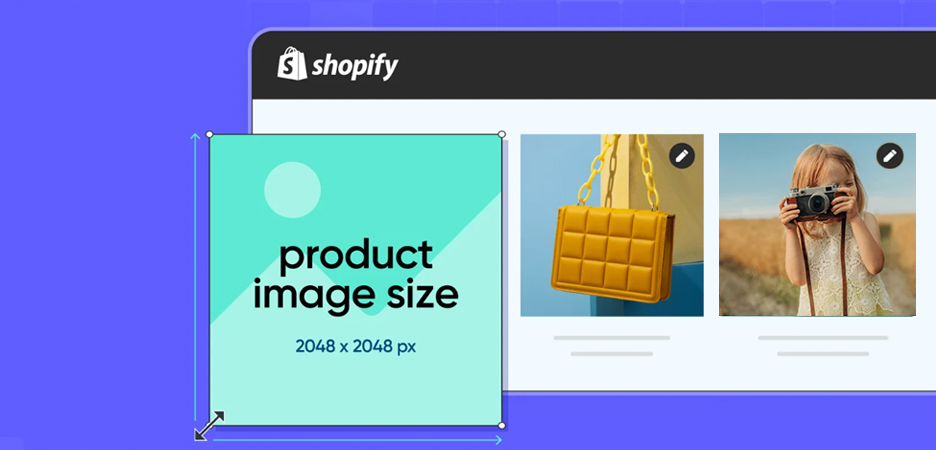
TL;DR: Putting the right Shopify image sizes is important for a good user experience and responsiveness. Go through the comprehensive guide for the official image size and dimensions perfect for a Shopify store to keep it fast and interactive. Improve both mobile and desktop user experience, and improve conversions from both mobile and desktop.
High-resolution images may look good on your Shopify store, but they can significantly impact your site’s performance and UX. While being one of the most powerful elements of any Shopify store, they shape first impressions, influence buying decisions, and impact site speed.
While Shopify allows uploads up to 5000 × 5000 px (25 MP) and 20 MB per image, oversized visuals can slow pages and hurt performance. Following the recommended Shopify image sizes and aspect ratios, you can ensure your store looks sharp, loads fast, and delivers a seamless experience across mobile and desktop.
Let’s delve into the detailed Shopify image sizes guide for various types of images that load fast and maintain uniformity across mobile and desktop.
Why Image Size Matters for a Shopify Store?
When running an online store, Shopify image sizes and formats play a pivotal role in maintaining user experience, conversions, and search engine rankings. High-quality visuals help customers zoom in, inspect products, and feel confident before purchasing.
At the same time, if images are too large in file size or resolution, they can slow down your store’s load time, especially on mobile devices, which harms both UX and SEO.
Thus, image compression helps your store look polished, load quickly, and promote better engagement, which are also the key elements for a high-converting Shopify store.
Recommended Image File Formats for Shopify
Choosing the right image format is as important as choosing the correct size. Shopify’s official guide on image file types outlines the strengths and use cases of each format. Here’s a breakdown of what to use:
- JPEG/JPG: Best for photographic images (products, lifestyle shots). It uses lossy compression, so the file size is smaller, which helps page speed.
- PNG: These are best for graphics, logos, icons, and images that need transparency. They preserve image quality and detail but result in larger file sizes compared to JPGs.
- WebP: It’s a modern image format offering good compression with high quality, supported by many browsers. Use it when your theme supports it.
- HEIC/HEIF: These formats are less common and not universally supported. Best to avoid it unless you know your target devices handle it.
- GIF: Use it for simple animations. GIFs are rarely used for product images and are mostly suitable for animations.
- SVG: It’s a vector format, ideal for logos, icons, and scalable graphics that need to stay sharp at any size. However, it’s not suitable for regular product photography or detailed images.
When uploading to Shopify, you must ensure the file is under 20 MB (for images) and meets resolution limits. The name of the file also matters; Shopify warns against file names ending in terms like “_small”, “_thumb”, etc, which might be misinterpreted by the CDN.
By choosing the right format and keeping file sizes optimized, you safeguard both image quality and site performance.
Shopify Image Size Guidelines for Mobile and Desktop
The ideal Shopify image size varies based on your theme, layout, and how the image will be displayed across devices. Always optimize your visuals so they look sharp on desktop while loading quickly on mobile. Use this as a reference when preparing images for both desktop and mobile.
| Image Type | Platform | Recommended Dimensions (px) | Aspect Ratio |
|---|---|---|---|
| Product Images | Desktop | 2048 × 2048 | 1:1 |
| Mobile | 800 x 800 | 1:1 | |
| Hero Image | Desktop | 1280 x 720 px | 16:9 |
| Mobile | 360 x 200 px | 16:9 | |
| Website Banner | Desktop | 1200 x 400 | 3:1 |
| Mobile | 360 x 120 | 3:1 | |
| Header Images | Desktop | 1200 x 800 | 3:2 |
| Mobile | 800 x 533 | 3:2 | |
| Blog Featured | Desktop | 1200 x 800 | 3:2 |
| Mobile | 360 x 240 | 3:2 | |
| Featured Images | Desktop | 1880 x 1058 | 3:2 |
| Mobile | 589 x 331 | 3:2 | |
| Logo | Desktop |
400 x 100 (for rectangle) 100 x 100 (for square) |
4:1 or 1:1 |
| Mobile |
160 x 40 (for rectangle) 60 x 60 (for square) |
4:1 or 1:1 | |
| Background Image | Desktop | 2560 x 1400 | 16:9 |
| Mobile | 360 x 640 | 16:9 | |
| Favicon | Desktop | 16 x 16 pixels | 1:1 |
| Mobile | 16 x 16 pixels | 1:1 | |
| Collection Images | Desktop | 1024 x 1024 px | 1:1 |
| Mobile | 800 x 800 px | 1:1 | |
| Product Thumbnails | Desktop | 150–300 px | 1:1 |
| Mobile | 150–300 px | 1:1 | |
| Social Media Icons | Desktop | 32 x 32 pixels | 1:1 |
| Mobile | 48 x 48 pixels | 1:1 |
File sizes are based on an approximate value; the actual size depends on format, compression, and image complexity.
Source: Shopify “Website Image Size Guidelines”
What Are The Best Image Sizes for Shopify Desktop and Mobile?
Here’s a breakdown of per image-type (like product, banner, and hero image, etc.) with explicit dimensions and sizes for desktop and mobile platforms.
1. Product Images
Product images are the backbone of your Shopify store. They should display products clearly, maintain high resolution for zoom features, and look consistent across all devices. They are the main focus of customers while selecting products for purchasing. Maintain the aspect ratio to 1:1.
Desktop: 2048 × 2048 px (square 1:1) – provides good zoom clarity.
Mobile: 800 × 800 px – reduces file size while maintaining sharpness.
Recommended Product Image File Size: Up to 300 KB
2. Hero Images
Hero images create the first visual impression of your store’s homepage or landing page, with the text usually above the fold. They should be wide, high-quality, and optimized to load quickly on every device with the best aspect ratio of 16:9.
Desktop: 1280 × 720 px (16:9) – standard widescreen layout, some themes allow up to 2500 px width.
Mobile: 360 x 200 px (16:9) – ensures clarity without increasing load time.
Recommended Hero Image File Size: Up to 10 MB
3. Banner Images
Banner images highlight promotions or key collections. They should be horizontally stretched and lightweight to load instantly without pixelation. Their sizes may vary according to their placements on different pages.
Desktop: 1200 × 400 px (3:1) or up to 2000 × 600 px.
Mobile: 360 x120 px (3:1) – maintains readability and proportion on smaller screens.
Recommended Banner Image File Size: Up to 150 KB
4. Header Images
Header images define the store’s branding and navigation area. They should balance clarity with minimal file size to maintain a fast-loading header section.
Desktop: 1200 × 800 px (3:2) – clear yet lightweight.
Mobile: 800 × 533 px (3:2) – keeps sharpness while reducing dimensions.
Recommended Header Image File Size: Below 10 KB
5. Blog / Featured Images
Blog or featured images draw readers’ attention and influence engagement on your store’s content pages. Consistent sizing enhances visual appeal across blog previews and articles.
Desktop: 1200 × 800 px (3:2).
Mobile: 360 x 240 px (3:2) – optimized for speed and visibility.
Recommended Blog Image File Size: 3 MB
6. Logo
Logos build instant brand recognition. They should be crisp, scalable, and clear in both light and dark backgrounds, maintaining proportional size across all viewports. Logo sizes can vary according to different Shopify themes.
Desktop: 400 × 100 px (4:1) or 100 × 100 px (1:1).
Mobile: 160 × 40 px or 60 × 60 px – maintains legibility without taking excessive space.
Recommended Logo File Size: Up to 1 MB
7. Background Images
Background images create atmosphere and visual depth. They should be large enough for full-width coverage yet compressed to avoid slowing down load speed. To reduce the background image size, you can use tools like Image Optimizer Pro for automatic compression.
Desktop: 2560 × 1400 px (16:9).
Mobile: 360 × 140 px (16:9) – fits most mobile screens while balancing performance and clarity.
Recommended Background File Size: 20 MB
How to Optimize Shopify Images: Tools and Tips
Optimizing your images ensures they look great and load quickly. Here are actionable tips beyond Shopify image size optimization:
Image Compression
Use tools like Image Optimizer Pro or Shopify image apps to reduce file size with minimal visual loss. Shopify suggests keeping product images under 300 KB.
Consistent Aspect Ratios
Use the same ratio (e.g., 1:1 for all product images) so that your store looks uniform and avoids awkward cropping.
Use Correct Format
As mentioned earlier, use the correct image format, like JPEG for photos, PNG for graphics/logos, WebP if your theme supports it.
Size For Zoom
If you offer Zoom on product pages, upload a high enough resolution (e.g., 2048 × 2048 px) so the zoomed view remains sharp.
Mobile Optimization
Because mobile users often have slower connections, prioritize smaller file sizes (and possibly smaller resolutions) for mobile-targeted images.
Theme-Specific Checks
Some Shopify themes crop or resize images differently. Always preview on desktop & mobile after upload.
Avoid Uploading Large Files
Shopify allows up to 5000 × 5000 px (or 4472 × 4472 px in some sources) and a max file size of 20 MB. But uploading huge files just to let Shopify scale them isn’t optimal.
Alt Text & Filenames
Use descriptive filenames and alt text for SEO, and avoid using underscores before dimensions, which Shopify may misinterpret.
Test Page Speed
After deploying new images, use Google PageSpeed Insights or similar tools to check how quickly pages load, and adjust if necessary.
By applying these practices, you ensure your Shopify store is visually appealing, performs well across devices, and supports conversion and SEO goals.
Conclusion
By following this Shopify image size guide, you can maintain a consistent, high-quality visual experience across your store. Combine correct image ratios with optimized file formats like JPEG or WebP, and use compression tools to keep file sizes light without sacrificing quality.
Optimized images not only enhance your store’s visual appearance but also improve loading speed, user experience, and SEO performance, ultimately helping you engage customers better and boost overall conversions.
FAQs
Q1 – Why do image dimensions matter for my Shopify store?
Q2 – Are there maximum upload size limits for Shopify images?
Q3 – How does image size impact mobile performance and page speed on Shopify?
Q4 – What are the recommended image sizes for products on Shopify?
Q5 – What size should a banner or hero image be in Shopify?
28 November, 2025
Leave a Comment
Ishan Makkar
He is a web performance specialist with hands-on experience optimizing websites for speed, media efficiency, and user engagement. As the founder of Website Speedy and Image Optimizer Pro, he has helped businesses across multiple industries improve load times, strengthen SEO, and reduce bounce rates. His work focuses on creating reliable, data-driven optimization solutions that deliver measurable results and build long-term digital trust.