

TL;DR: Many websites load slowly due to common image optimization mistakes such as oversized images, incorrect formats, missing caching, and lack of responsive images. Fixing these issues by properly compressing images, using modern formats, and serving responsive sizes significantly improves page speed, Core Web Vitals, SEO rankings, and overall user experience.
Images are a vital part of modern websites; they engage users, support your content, and enhance visual storytelling. But they can also be one of the biggest culprits behind slow page loads and poor performance. In fact, some common image optimization mistakes often account for a significant portion of a page’s payload. When you overlook best practices, image bloat becomes a major drag on site speed, negatively affecting user experience, conversions, and even SEO.
In this post, we’ll explore some of the top image optimization mistakes slowing down your website, explain why they matter, and offer actionable advanced strategies to fix them. By addressing these issues, you’ll not only boost page speed but also improve your site’s Core Web Vitals, reduce bounce rates, and deliver a better overall experience.
What Is Image Optimization and Why Does It Matter for Web Performance
Image optimization is the process of reducing the file size of images without compromising perceptible quality and delivering them in the most efficient format, resolution, and manner to match the user’s device. Good image optimization balances visual fidelity with performance, ensuring that images look good and load fast.
Proper image optimization ensures:
- Faster page loads
- Better Core Web Vitals (especially LCP)
- Improved SEO and accessibility
- Lower bandwidth and hosting costs
Why Image Optimization Matters for Performance & SEO?
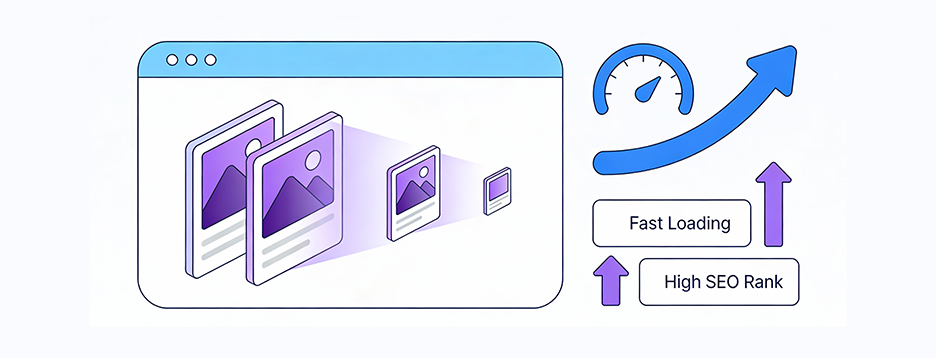
Image optimization directly affects how fast your website loads, how users interact with it, and how search engines evaluate it.
Page Weight:
According to Speed Curve data, images are often the largest contributor to a webpage’s total weight, frequently accounting for a significant portion of page size. Even a few oversized image files can noticeably slow loading speed and increase resource usage.
Core Web Vitals:
Poorly optimized images delay Largest Contentful Paint (LCP), one of Google’s most important performance metrics, directly affecting search rankings and overall user experience.
User Experience & SEO:
Faster-loading pages keep users engaged, reduce bounce rates, and improve conversions, while also signaling to search engines that your site delivers a high-quality browsing experience.
Bandwidth & Cost:
Large image files consume more bandwidth, increasing CDN and hosting costs, especially for high-traffic websites or sites serving global audiences across varied connection speeds.
In short, proper image optimization ensures faster loading, better SEO, reduced costs, and an overall smoother user experience, making it an essential practice for every modern website.
Common Image Optimization Mistakes Slowing Down Your Website
Here are several of the most frequent image optimization mistakes slowing down websites that many website owners make, and how to fix them:
H3: 1. Choosing the Wrong Image Format
One of the biggest mistakes is choosing the wrong image format for the content For example, using PNGs for photographs when JPEG, WebP, or AVIF would be smaller and more efficient.
- JPEG is ideal for rich, colorful photographs.
- PNG works well for transparency, logos, or images needing crisp edges.
- SVG is perfect for icons and logos because it’s vector-based and scales without loss.
- According to SEO Engine AI, modern formats like WebP and AVIF can often deliver better compression than JPEG & PNG, while maintaining visual quality, though the exact savings vary by image type, and browser support must be considered.
- AVIF can often deliver better compression than WebP while maintaining visual quality, though the exact savings vary by image type, and browser support must be considered.
Using traditional formats by default is often a missed opportunity to leverage the efficiency of newer image formats.
2. Skipping Mobile Testing
Many optimization efforts focus on desktops, neglecting mobile users, yet mobile traffic is often the majority. If images are optimized only for full-size desktop screens, they may be far too heavy for mobile devices or slower networks, causing sluggish load times and frustrating mobile users.
Failing to test how images render and load on mobile devices can drastically undercut your image optimization for web efforts.
3. Implementing Browser-Side Resizing
Uploading a huge high-resolution image and using HTML or CSS to scale it down (e.g., with width/height or CSS resizing) is inefficient. The browser still has to download the full file, even if it displays a smaller version. That wastes bandwidth and increases load time.
This is a common image optimization mistake, relying on the browser or CSS to shrink a large image instead of serving the correctly sized image from the start.
4. Delivering One Image Size for Every Device
Serving a one-size-fits-all image for desktop, tablet, and mobile is a recipe for inefficiency. Without responsive image techniques, such as using the srcset and sizes attributes in HTML, you lose the opportunity to deliver smaller, more appropriate versions for different viewports.
This image mistake not only slows pages but also wastes data, especially on mobile.
5. Missing or Incorrect Cache-Control Settings
If your server or CDN doesn’t instruct browsers to cache images properly (using Cache-Control, ETag, or expiration headers), then returning visitors may re-download images repeatedly. That increases page load time and bandwidth usage unnecessarily.
Without proper caching, image payloads become recurring performance costs rather than one-time investments.
6. Failing to Enable a CDN
A Content Delivery Network (CDN) is critical for speedy image delivery across geographies. Without a CDN, users distant from your origin server will experience latency.
Moreover, many CDNs provide image optimization capabilities out of the box, including resizing, format conversion, compression, and caching. Thus, not implementing a CDN is a missed optimization opportunity.
7. Using an Image for a Button Background
Using full images (especially large ones) for decorative or UI elements like button backgrounds or banners, instead of simpler CSS shapes or icons, can bloat your site. These images may not need to be high resolution, and often they could be replaced with vector graphics (SVGs) or CSS gradients, which are lighter and scale more efficiently.
8. Overlooking Image Quality/Balancing Compression
Some site owners compress images too aggressively to reduce file size, which can harm visual quality, such as pixelation, color banding, or artifacts. Others barely compress, leaving enormous file sizes.
Striking the right balance is key. For example, many tools suggest starting around 80–85% quality for JPEG and 80–90% for WebP, then adjusting based on image complexity and visual requirements.
9. Skipping Image Titles and Captions
Many content creators neglect image titles and captions, which can negatively impact usability and user understanding, and indirectly affect SEO through engagement signals.
- Titles provide hover context that can improve usability and clarity for users.
- Captions help explain images and improve accessibility and engagement.
Yoast’s leading SEO guide notes that captions can improve user understanding and engagement, which can indirectly support SEO by providing clearer context around images.
10. Skipping Alt Text
Alt text is more than a checklist item for accessibility; it’s also SEO-relevant. Search engines rely on alt attributes to understand what images are about. Ignoring alt text hurts:
- Accessibility: Users with visual impairments rely on it.
- SEO: It helps search engines index and rank your images.
Neglecting alt text is one of the most common image optimization mistakes, yet it remains pervasive.
11. Using Irrelevant or Excessive Keywords
When writing file names, alt text, and captions, inserting irrelevant or too many keywords (“keyword stuffing”) can harm SEO and speed, rather than help. Over-optimizing can trigger spammy signals. Use descriptive, concise, and relevant keywords instead.
12. Large Image Files (Uncompressed / Oversized)
Putting large or uncompressed images on the web is perhaps the most obvious mistake.
- Oversized images lead to long download times and higher bandwidth usage.
- A single hero image can significantly add to your load time if unoptimized.
- Reducing file size without visible quality loss (via compression and format) is one of the most effective ways to improve page speed.
13. Using Unclear or Default Filenames
Generic filenames like IMG_1234.jpg provide no SEO or accessibility benefit. Search engines and screen readers get no useful information, which is a missed chance.
Descriptive filenames such as blue-widget-close-up.jpg help contextualize images for both search engines and users. Keep them short and descriptive, and use hyphens instead of underscores or spaces.
Advanced Strategies for Image Optimization
To go beyond the basics and fully optimize your images, consider these advanced strategies:
1. Choose the Right Format
- Use WebP or AVIF when possible. WebP offers a much smaller size than JPEG.
- For lossless needs (logos, icons), WebP or PNG is optimal.
- Reserve SVG for vector graphics like icons for sharp, resolution-independent imagery.
2. Compress Images
- Compress images in modern format like WebP with maximum compression ratios.
- Choose lossy compression when small detail loss is acceptable; use lossless only when necessary.
3. Use Descriptive Alt Text
- Ensure alt text is meaningful, concise, and relevant.
- Include important keywords, but avoid stuffing.
- Focus on what the image represents, not just its file name.
4. Optimize File Names
- Rename files to descriptive, hyphen-separated words (e.g., sunset-beach-boat.jpg).
- Use relevant keywords when they match the image content, but don’t over-optimize.
5. Leverage Lazy Loading
- Use loading=”lazy” in your image tags to defer offscreen images until they’re needed.
- Be cautious: don’t lazy-load critical above-the-fold images (like hero images), as that can hurt LCP.
6. Create Responsive Images
- Use srcset and sizes attributes to serve different image resolutions based on the viewport and device.
- For example, provide a 1600px image for desktop, 800px for tablet, and 400px for mobile.
7. Write Clear, Descriptive Alt Text
- Write alt text that is clear, descriptive, and natural-sounding so it accurately conveys the image’s purpose to users and assistive technologies.
- Use full phrases or questions users might speak, rather than rigid, keyword-only descriptions.
8. Set Proper Caching Headers
- Configure Cache-Control, ETag, or other headers to cache images on the browser and CDN.
- Use long expiration for static assets that rarely change to improve repeat-visit performance.
9. Use a CDN
- Serve images via a CDN to reduce latency and speed up delivery worldwide.
- Many CDNs also support on-the-fly image optimization (resizing, compression, format conversion).
How to Fix Image Optimization Mistakes Quickly?
If you’re looking to remediate image optimization issues efficiently (especially in bulk), automated tools are your friend. Here’s a practical workflow:
1. Audit Your Images
- Identify large files, oversized dimensions, or outdated formats.
- Use performance audits (e.g., Lighthouse, WebPageTest) to pinpoint problematic images.
2. Use an Image Optimizer Tool
- Tools like Image Optimizer Pro let you compress, resize automatically, and convert to JPEG, PNG & even modern format, WebP.
- Bulk processing helps you apply optimization across your site without manual effort.
3. Monitor & Test
- Use real device testing to check if optimized images load properly.
- Re-run performance tools after optimizations to measure improvements.
4. Maintain the Process
- Enforce image guidelines in your content workflow, set maximum dimensions, require alt text, and automate optimization on upload.
- Regularly re-audit as you add new content.
Conclusion
Image optimization mistakes are among the most common causes of poor website performance. Inefficient formats, oversized files, and missing responsive practices can slow pages, hurt Core Web Vitals, and weaken both user experience and SEO. By using proper compression, modern formats like WebP or AVIF, responsive images, caching, and lazy loading, you can significantly improve site speed, engagement, and search visibility.
Making image optimization a consistent part of your content and development workflow ensures these gains are maintained over time as your website grows.
FAQs
Q1. Why are my images slowing down my website?
Q2. Can I optimize photos without losing quality?
Q3. How much should I compress images without losing quality?
Q4. Are image optimization tools reliable?
Q5. Do I need to convert all my images to WebP or AVIF?
31 December, 2025
Leave a Comment
Ishan Makkar
He is a web performance specialist with hands-on experience optimizing websites for speed, media efficiency, and user engagement. As the founder of Website Speedy and Image Optimizer Pro, he has helped businesses across multiple industries improve load times, strengthen SEO, and reduce bounce rates. His work focuses on creating reliable, data-driven optimization solutions that deliver measurable results and build long-term digital trust.