
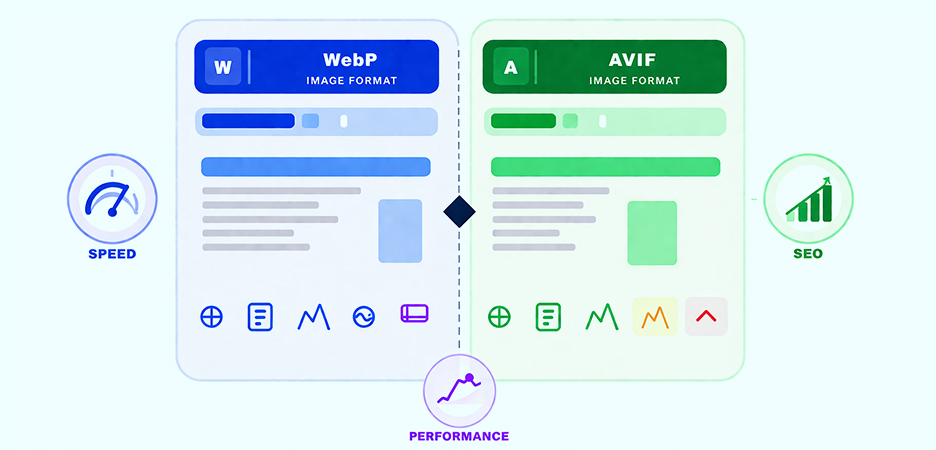
TL;DR: Images play a major role in website performance, and choosing the right format can significantly impact speed, user experience, and SEO. In this guide, we break down WebP vs AVIF, compare their strengths and limitations, and explain how to use these modern image formats to improve overall website performance.
Images are one of the largest contributors to page weight, often accounting for up to half or more of the total page size. For websites aiming to speed up load times, improve user experience, and boost SEO rankings, choosing the right image format is critical. In this deep dive, we’ll compare WebP vs AVIF, explore their pros and cons, and help you choose the best image format for improving website performance.
Why Modern Image Formats Matter in 2026
Traditional formats like JPEG and PNG served the web for decades, but today’s demands for speed and mobile performance require something more efficient. That’s where WebP and AVIF come in.
Both are modern image formats that dramatically reduce image file size while preserving, and often improving, visual quality. Smaller images mean faster page loads, lower bandwidth usage, improved Core Web Vitals, and better SEO rankings.
Here’s what the latest performance data shows:
- WebP typically reduces file size by 25–35% compared to JPEG/PNG at the same visual quality.
- AVIF takes this further, often producing files a 20–30% smaller than WebP for equivalent quality, meaning images can be roughly 50% smaller than JPEG.
What Is WebP vs AVIF Image Format?
WebP and AVIF are modern image formats designed for the web that significantly reduce image file size while maintaining high visual quality, helping websites load faster and perform better. WebP is widely supported and efficient, while AVIF offers even better compression using next-generation encoding technology.
WebP Image Format
WebP was introduced by Google in 2010 to replace legacy image formats like JPEG, PNG, and GIF. It supports both lossy and lossless compression, transparency (alpha channel), and animation, making it highly versatile.
Pros of WebP Image Format:
WebP delivers significantly smaller file sizes than JPEG and PNG while maintaining good visual quality, which helps improve page speed and Core Web Vitals. It supports both lossy and lossless compression, transparency, and animation, making it a flexible choice for most web images. WebP also has broad browser support and relatively fast encoding and decoding, which makes implementation smooth for most websites.
Cons of WebP Image Format:
Despite its efficiency, WebP does not support advanced features like HDR or wide color gamuts. In some edge cases, such as very high-detail images, compression artifacts may be more noticeable compared to AVIF. It’s also less future-proof than newer formats built on next-generation codecs.
AVIF Image Format
AVIF stands for AV1 Image File Format. It’s a newer format based on the AV1 video codec and was released in 2019. AVIF typically offers greater compression efficiency and advanced features such as HDR and wider color depths compared to WebP, though at the cost of slower encoding.
Pros of AVIF Image Format:
AVIF offers superior compression efficiency, often producing images that are noticeably smaller than WebP at the same quality level. It supports modern features such as HDR, wide color depth, and improved detail retention, making it ideal for high-quality photography and visually rich content. Smaller file sizes can lead to faster load times and better performance, especially on mobile networks.
Cons of AVIF Image Format:
AVIF encoding is computationally heavier, meaning image generation can be slower and more resource-intensive. Browser support, while growing rapidly, is still slightly less universal than WebP, which makes fallbacks necessary. On older or low-end devices, decoding AVIF images can also be slower compared to WebP.
WebP vs AVIF Comparison: Speed, Compression, Quality & Support
Below is a practical side-by-side comparison of WebP and AVIF that highlights how they differ across compression efficiency, performance, browser support, and real-world usability. The table below summarizes these key differences to help you quickly understand how each format impacts web performance.
| Feature | WebP | AVIF |
|---|---|---|
| Compression Efficiency vs JPEG | 25–35% smaller | 50% smaller (20–30% smaller than WebP) |
| Lossy & Lossless | Yes | Yes |
| Transparency | Yes | Yes |
| Animation | Yes | Yes (tooling support varies) |
| HDR / Wide Color Support | No | Yes |
| Browser Support (2026) | 96–97% | 89–95% (still expanding) |
| Encoding Speed | Faster | Slower (higher CPU usage) |
| Decoding Speed | Faster | Slower on older devices, offset by smaller file size |
1. Compression Efficiency and File Size
The most noticeable difference between WebP and AVIF lies in how efficiently they compress images. WebP already provides a clear improvement over traditional formats like JPEG and PNG, but AVIF pushes compression further by preserving more visual detail at lower file sizes.
In real-world use, AVIF images are typically smaller than their WebP equivalents at similar quality levels, which means less data to download and faster load times, especially noticeable on slower mobile connections.
2. Page Load Speed and Performance Impact
Because network transfer is often the biggest bottleneck, AVIF’s smaller file sizes usually translate to faster initial image loading. This can improve key performance metrics like Largest Contentful Paint (LCP). WebP, however, benefits from faster decoding, which can sometimes make it feel more responsive on low-end or older devices. In practice, AVIF often performs better on bandwidth-constrained connections, while WebP provides more consistent performance across devices and environments.
3. Visual Quality and Advanced Image Features
AVIF supports advanced imaging capabilities such as HDR, higher bit depth, and wider color gamuts, which allow it to preserve gradients and fine details better than WebP. This makes AVIF particularly useful for photography-heavy sites or high-quality hero images. WebP delivers excellent quality for most use cases but lacks support for these next-generation visual features.
4. Browser and Device Compatibility
WebP has been around longer and therefore enjoys broader and more stable browser support, including on slightly older browsers and operating systems. AVIF support has grown rapidly, but it still isn’t universal. Because of this, the recommended approach is to serve AVIF first and fall back to WebP or JPEG using the element, ensuring no user is left without an image.
Note: While AVIF adoption is growing, some CMS platforms, image pipelines, and legacy environments still have limited or inconsistent AVIF support. WebP remains the safer default for broad compatibility.
5. Encoding and Processing Costs
WebP images are faster to encode and require less processing power, making them easier to generate at scale or on the fly. AVIF encoding is computationally heavier, which can increase build times or server load when processing large image libraries.
While this doesn’t affect end-user download size, it’s an important operational consideration for developers and performance teams.
6. Real-World Implementation Flexibility
Both formats support lossy and lossless compression, transparency, and animation, but WebP’s tooling ecosystem is more mature and widely available. AVIF tools are improving quickly, but workflows can still be less streamlined depending on the platform. For most modern websites, using both formats together provides the best balance of compression efficiency, compatibility, and performance.
By understanding these differences, it becomes clear that AVIF excels in maximum compression and visual quality, while WebP offers reliability, speed, and broader support, making a combined delivery strategy the most practical choice for modern web performance.
WebP and AVIF Images Impact on SEO and User Experience
Image formats play a direct role in page speed, Core Web Vitals, and overall user engagement. Below, we break down the key SEO and user experience impacts of using WebP and AVIF in more detail.
Core Web Vitals
Search engines now use metrics like Largest Contentful Paint (LCP) to measure page speed, and images are often the biggest contributor to LCP. Modern formats like WebP and AVIF can dramatically reduce LCP times by shrinking image payloads.
User Experience
Faster loading pages reduce bounce rates and increase engagement. Reducing image file size directly contributes to performance, particularly on slower mobile networks.
Bandwidth and Hosting Costs
Smaller image formats reduce bandwidth consumption and CDN costs, which scales especially well on large media sites or ecommerce catalogs.
How WebP and AVIF Affect Core Web Vitals
Modern image formats directly influence Google’s Core Web Vitals, especially Largest Contentful Paint (LCP). Since the LCP element is often a large image, such as a hero banner or featured product, reducing image file size with WebP or AVIF can significantly improve this metric.
AVIF’s smaller file sizes typically lead to faster initial rendering, which can positively impact LCP on slower networks. WebP, on the other hand, benefits from faster decoding, making it more consistent across a wider range of devices. Both formats help reduce overall page weight, indirectly supporting smoother interactions and better perceived performance.
However, image format alone isn’t enough. Proper sizing, responsive delivery, and layout stability remain essential to avoid layout shifts and ensure optimal performance across all Core Web Vitals.
When Should You Use WebP vs AVIF?
In practice, many performance-focused websites prioritize WebP as a baseline format due to its near-universal support and faster processing, while selectively using AVIF where supported to maximize compression gains.
Use AVIF if you want maximum compression and the smallest possible file size for better speed, especially for large, photographic images. AVIF is ideal in scenarios where SEO and performance are top priorities and browser support is adequate.
Choose WebP if broad compatibility and fast encoding/decoding are important, or if you need support for features that AVIF doesn’t handle as robustly, such as specific animation workflows.
A common pattern is to generate both formats and serve them intelligently using server logic or the tag so that each browser gets the best available option.
Best Use Cases for WebP vs AVIF
The right choice between WebP and AVIF often depends on how and where images are used on your website.
E-commerce websites benefit significantly from AVIF’s superior compression, especially for product galleries and category pages with many images. Smaller image payloads improve mobile performance and reduce bounce rates, while WebP serves as a reliable fallback for unsupported browsers.
Photography and portfolio websites tend to favor AVIF due to its support for HDR, higher bit depth, and improved gradient handling. These features help preserve fine visual details while still reducing file size. WebP remains useful for compatibility but may not deliver the same visual fidelity in demanding scenarios.
Blogs and content-heavy websites often strike a balance by using WebP for most inline images due to faster encoding and widespread support, while selectively using AVIF for hero images or featured visuals where performance gains matter most.
CMS-based platforms like WordPress, Squarespace, and Wix typically perform best when both formats are generated automatically. Serving AVIF first with a WebP fallback ensures optimal delivery without sacrificing compatibility or workflow simplicity.
Common Mistakes When Using WebP and AVIF
- Serving AVIF without fallbacks: Not all browsers fully support AVIF yet. Always use the element or server-side content negotiation to provide WebP or JPEG fallbacks.
- Over-compressing images: Aggressive AVIF compression can introduce visible artifacts, particularly in text-heavy images and UI graphics. Always visually test optimized images before deploying at scale.
- Missing image dimensions: Failing to define width and height can cause layout shifts. Modern formats improve speed, but proper sizing is still essential to avoid CLS issues.
- Ignoring responsive delivery: Using a single image size across devices wastes bandwidth. Combine WebP or AVIF with responsive sizing and srcset for optimal results.
- Relying only on format conversion: Converting images alone isn’t enough. Lazy loading, CDN delivery, and caching are critical to unlock the full performance benefits.
Tools to Optimize Web Images for WebP and AVIF
Choosing the right tools is essential to effectively compress, convert, and deliver images in modern formats. The sections below highlight practical tools that help optimize images for better performance and SEO.
1. Image Optimizer Pro
Image Optimizer Pro is a powerful, all-in-one solution for optimizing website images at scale. It efficiently compresses JPG and PNG files using both lossless and lossy methods while preserving visual quality. More importantly for modern performance needs, it supports automatic conversion to WebP and other modern optimized formats, helping improve performance and Core Web Vitals. With built-in automation, Image Optimizer Pro simplifies ongoing image optimization and ensures consistently fast load times across your site.
2. Squoosh
Squoosh is a browser-based tool that lets you visually compare WebP and AVIF compression results in real time, making it ideal for testing image quality vs file size.
3. ImageOptim
ImageOptim is a desktop tool that removes unnecessary metadata and applies smart compression to reduce image size without visible quality loss.
4. ShortPixel Image Optimizer
ShortPixel automates image compression and conversion to modern formats like WebP and AVIF, making it easy to optimize large image libraries for faster performance.
To fully benefit from modern image formats like WebP, using an automated optimization workflow ensures consistent performance improvements without manual effort.
Conclusion
In the WebP vs AVIF debate, there’s no one-size-fits-all winner; both formats offer meaningful benefits over legacy formats for speed, SEO, and performance. WebP continues to be a reliable, broadly supported choice for most use cases, while AVIF pushes the envelope with higher compression potential, while WebP remains the most reliable and widely supported format for real-world implementation.
The best strategy for 2026 is to adopt both formats, use modern optimization workflows, and ensure intelligent delivery with fallbacks to achieve the fastest, most accessible website experience possible.
FAQ
Q1. What is the main difference between WebP and AVIF?
Q2. Is AVIF better than WebP for website speed?
Q3. Do all browsers support AVIF and WebP?
Q4. Should I serve both formats or pick one?
Q5. Will converting images to modern formats improve SEO?
Q6. Does AVIF support transparency and animation like WebP?
Q7. Does Google prefer AVIF over WebP for SEO?
Q8. Can AVIF completely replace WebP?
Q9. Are AVIF images heavier on server resources?
1 May, 2026
Leave a Comment
Ishan Makkar
He is a web performance specialist focused on image optimization and site speed. As the founder of Image Optimizer Pro, he helps businesses reduce image load times and improve Core Web Vitals. His work centers on delivering faster websites, better user experience, and measurable SEO gains without complex development.