
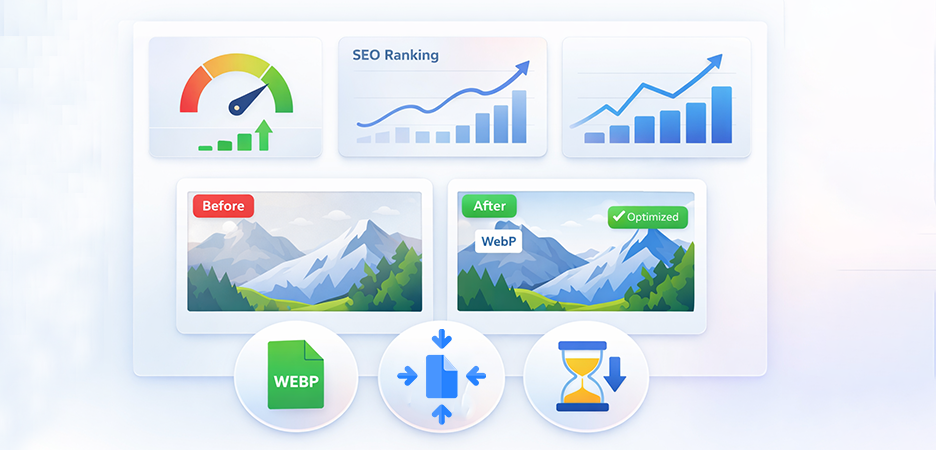
E-commerce image optimization improves site speed, search visibility, and conversions by reducing image size without losing quality. Optimize your online stores with the best tips and tools to improve speed, conversions, and SEO.
High‑quality visuals are central to every online shopping experience. But without proper e‑commerce image optimization, even the best product photos can hurt a store’s performance, search visibility, and sales. In this guide, we break down what image optimization really is, why it matters, and actionable tips you can apply today to optimize e-commerce images for speed, SEO, and conversions.
What Is E‑commerce Image Optimization?
E‑commerce image optimization is the process of preparing and delivering product images in formats, sizes, and structures that allow webpages to load quickly, rank well in search engines, and boost user engagement. It includes compressing images, choosing the right file formats, adding descriptive metadata, and aligning visuals with technical SEO goals. At its core, optimization balances image quality with file size to ensure product photos look professional but don’t slow down web pages.
Why Image Optimization Matters for E-commerce Stores
Speed
SEO
Images are often the largest contributors to page weight on e‑commerce sites. Heavy images can dramatically increase load times, especially on mobile devices. E-commerce image optimization and compressing can make images load 2.5 to 3 times faster, directly improving user experience.
Search engines like Google evaluate page speed as a ranking factor, and fast‑loading images are crucial to good Core Web Vitals performance. Additionally, properly structured images with descriptive alt text and filenames help search engines understand visuals, improving visibility not just in web search but in Google Images.
Conversions
Slow load times push visitors away. According to real‑world analytics, a 1‑second delay in page load can cause a 7% decrease in conversions, and more than half of shoppers abandon pages that take longer than three seconds to load.
Together, speed, visibility, and a frictionless browsing experience lead to more completed purchases, lower bounce rates, and improved customer satisfaction.
How Images Affect E-commerce Website Speed
When browsers download a web page, each image adds to the total load. Oversized or uncompressed images inflate the size of a page, slowing down rendering. Compressing and resizing images reduces the load on both servers and browsers, significantly improving speed metrics such as Largest Contentful Paint (LCP).
Serving images that are much larger than their display size, for example, uploading 3000×3000px photos for thumbnails can be particularly harmful because it wastes bandwidth and slows performance with no visual benefit.
Image Optimization Benefits for E-commerce SEO
Image optimization plays a direct role in improving e-commerce SEO by helping search engines better understand, index, and rank visual content. While faster load times are one advantage, optimized images also improve visibility across multiple search surfaces, including Google Images and rich results.
Alt Text Improves Relevance and Accessibility
Alt text provides descriptive context about an image, allowing search engines to understand what the image represents. This improves relevance in image search results and supports accessibility for screen readers, which is increasingly aligned with Google’s quality guidelines. Well-written alt text can help product images appear for relevant search queries while also improving overall page relevance.
Descriptive Filenames Support Better Indexing
Search engines rely on filenames as an additional signal to understand image content. Using clear, keyword-based filenames instead of default camera or system names (such as IMG001.jpg) helps search bots accurately associate images with product pages. This improves indexing efficiency and strengthens topical relevance for e-commerce product listings.
Image Sitemaps Increase Discoverability
Image sitemaps help search engines locate and crawl images that may otherwise be missed, especially images loaded dynamically or embedded within scripts. Submitting image URLs through a sitemap increases the likelihood that product visuals are indexed and shown in search results, including Google Images.
Structured Data Enhances Search Appearance
Adding structured data (schema markup) to your e-commerce site product pages helps search engines connect images with specific product attributes such as name, price, and availability. This can improve how products appear in rich results and increase click-through rates by providing more visual context directly in search listings.
Together, these e-commerce image optimization practices create stronger image ranking opportunities, improve organic visibility, and help e-commerce websites attract additional traffic from visual search results without relying on paid channels.
Impact of Optimized Product Images on Conversions
Optimized product images drive conversions by enhancing trust and reducing friction:
- Fast‑loading visuals create a smoother shopping experience and encourage browsing.
- Clear, high‑quality product photos help buyers evaluate products more confidently.
A/B tests have shown that optimized images can drive 30 – 40% increases in conversion rates, as customers engage with sharper visuals and faster pages.
Common Image Optimization Problems in Online Stores
Despite the importance of image optimization, many online stores unintentionally undermine performance and SEO through avoidable mistakes. These issues often stem from prioritizing visual quality without considering technical efficiency.
Oversized Images Increase Page Load Time
Uploading high-resolution images without resizing or compression is one of the most common problems in e-commerce websites. Oversized images significantly increase page weight, slowing down load times and negatively affecting Core Web Vitals. This can lead to higher bounce rates, especially on mobile connections.
Poorly Named Image Files Limit SEO Value
Generic filenames provide no contextual information to search engines. When images are uploaded with default or random names, search engines lose an opportunity to associate visuals with relevant keywords. This weakens image search visibility and reduces the overall SEO value of product pages.
Missing alt text harms accessibility and search visibility
Images without alt text create accessibility gaps for visually impaired users and reduce the ability of search engines to interpret image content. Missing or empty alt attributes limit the chances of images appearing in search results and may negatively impact page quality signals.
Lack of Responsive Images Affects Mobile Performance
Without responsive image delivery, mobile users are often forced to download large desktop-sized images. This unnecessarily increases data usage and slows page rendering on smaller screens. Given that mobile traffic accounts for a significant share of e-commerce visits, failing to serve appropriately sized images can severely impact user experience and conversions.
These issues collectively reduce technical performance, weaken organic visibility, and limit the effectiveness of product visuals. Addressing them is a critical step toward building a faster, more search-friendly, and conversion-focused e-commerce website.
Best Image Optimization Tips For E-commerce: Boost Speed and Conversion
Effective e-commerce image optimization requires a combination of technical precision and user-focused design. The following best practices help optimize eCommerce images for faster load times, stronger search visibility, and higher conversion rates.
1. Choose the Right Image Format
Modern image formats such as WebP and AVIF AVIF are designed specifically for web performance. They deliver smaller file sizes than traditional formats like JPEG and PNG while maintaining comparable visual quality. Serving images in these formats reduces page weight, improves loading speed, and positively impacts Core Web Vitals, especially on mobile devices. This makes them a strong choice for product image optimization for e-commerce websites.
2. Choose the Right File Type
Each image file format serves a different purpose and should be selected based on the image’s role:
- JPEG (JPG): Suitable for high-detail product photos where color depth and gradients are important.
- PNG: Best for logos, icons, or images that require transparency.
- GIF: Limited to simple animations and should be avoided for large visuals due to poor compression.
- WebP / AVIF: Ideal for most e-commerce use cases due to superior compression and performance benefits.
Choosing the appropriate file type ensures a balance between image clarity and performance.
3. Size Your Images Correctly
Uploading images larger than their display size leads to unnecessary data transfer and slower load times. Images should be resized to match the maximum dimensions required by your theme or layout before upload. For example, using an 800px-wide image instead of a 3000px version significantly reduces file size without impacting visual quality on product pages.
4. Name Your Files to Improve SEO
Search engines use filenames as a signal to understand image content. Descriptive, keyword-relevant filenames help search bots associate visuals with specific products or categories. Replacing generic filenames with meaningful ones improves image indexing and supports image optimization for e-commerce SEO.
5. Keep Your Site Accessible With Alt Tags
Alt text plays a dual role in accessibility and SEO. It allows screen readers to describe images to visually impaired users and provides search engines with context about image content. Writing clear, accurate alt text that reflects the product shown improves usability and strengthens image relevance in search results.
6. Use Sitemaps to Get Your Images Noticed by Google
Image sitemaps help search engines discover and index images that may not be easily found through standard crawling, such as images loaded via JavaScript. Including image URLs in a sitemap improves crawl efficiency and increases the likelihood of product images appearing in Google Images and other visual search features.
7. Optimize Your Thumbnails
Category pages, collection pages, and product galleries often contain multiple thumbnails. If these images are not optimized, they can significantly slow down page loading. Compressing thumbnails and serving them at smaller dimensions reduces total page weight and improves browsing performance, particularly on mobile devices.
8. Use an Image CDN
An image-focused content delivery network (CDN) stores and serves images from servers closest to the user’s location. This reduces latency and improves global load times. Many CDNs also offer on-the-fly image resizing and format conversion, which further enhances performance and scalability for online stores with international traffic.
9. A/B Test Images to Improve Conversions and Retention
Different image styles can influence purchasing decisions. A/B testing variations such as angles, backgrounds, lighting, or zoom levels helps identify which visuals drive higher engagement and conversions. Data-driven testing ensures product images are optimized not only for speed but also for user behavior and sales performance.
10. Implement Lazy Loading
Lazy loading delays the loading of images that are not immediately visible on the screen. This reduces initial page load time, lowers bandwidth usage, and improves Core Web Vitals metrics such as Largest Contentful Paint (LCP). Lazy loading is particularly effective for long product pages and image-heavy category listings.
Image Optimization Tools to Try
Several tools can help automate and streamline image optimization for e-commerce websites:
1. Image Optimizer Pro
This tool offers both lossy and lossless compression, allowing significant file size reduction without visible quality loss. It supports one-click bulk image optimization, making it suitable for stores with large product catalogs and frequent image uploads. Moreover, you can convert your images into modern formats like WebP with Image Optimizer Pro to make your store superfast.
2. ShortPixel
This tool is widely used for compressing images and converting them into modern formats like WebP. ShortPixel supports bulk optimization and integrates easily with many e-commerce platforms, making it effective for ongoing image performance management.
3. ImageOptim
ImageOptim focuses on removing unnecessary metadata and applying advanced compression techniques to reduce image size while preserving visual quality. ImageOptim is particularly useful for preparing images before uploading them to an online store.
Together, these tools help reduce image size for faster loading without losing quality, improve page speed, and simplify ongoing image optimization efforts across large e-commerce websites.
Conclusion
Implementing well‑planned e‑commerce image optimization tips not only enhances your website’s technical performance but also drives long‑term SEO benefits and measurable increases in conversions. With the right formats, tools, and practices, product images can become powerful assets that support both speed and growth.
FAQs
Q1: What is e‑commerce image optimization?
Q2: Why is image optimization important for e‑commerce websites?
Q3: How does image optimization improve e‑commerce SEO?
Q4: Which image format is best for e‑commerce websites?
Q5: Should e‑commerce websites use lazy loading for images?
10 April, 2026
Leave a Comment
Ishan Makkar
He is a web performance specialist focused on image optimization and site speed. As the founder of Image Optimizer Pro, he helps businesses reduce image load times and improve Core Web Vitals. His work centers on delivering faster websites, better user experience, and measurable SEO gains without complex development.