
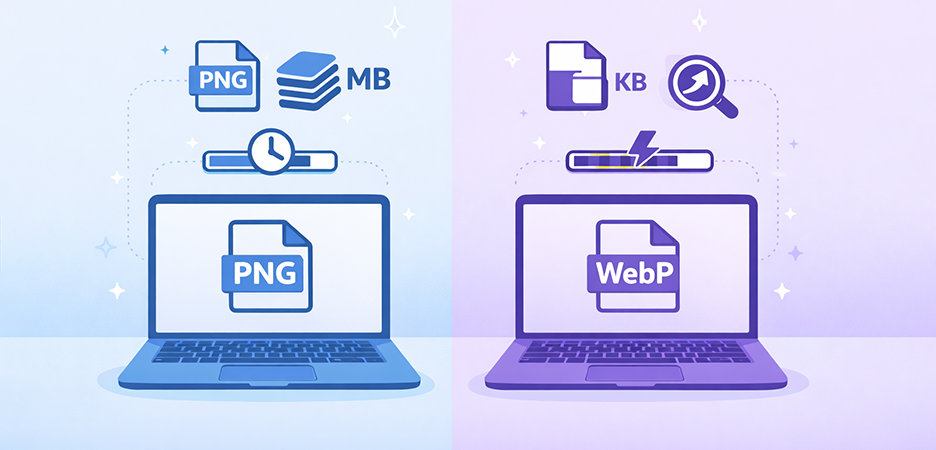
TL;DR: WebP and PNG both serve important roles, but WebP is the more efficient choice for most modern websites. It delivers dramatically smaller file sizes, faster loading speeds, and better overall performance while maintaining high visual quality. PNG remains essential for cases requiring perfect lossless detail or broad legacy compatibility. For best results, use WebP for general website images to boost speed and SEO, and reserve PNG for precise graphics or specialized design needs.
Images often account for the largest portion of a website’s total weight, making image format selection a critical optimization decision. Page speed, mobile performance, user experience, and SEO depend heavily on how efficiently your images are delivered.
Two formats dominate this discussion today: PNG , which is a long-established, lossless format known for precision, and WebP , Google’s modern, efficient, performance-focused format.
Since both formats support transparency and high-quality output, many website owners, designers, and developers will be wondering which format to use for their website. This blog will explore the WebP vs PNG image formats and help you choose the one that is best for speed, SEO, and quality.
What Is PNG?
PNG (Portable Network Graphics) is a raster graphics format created in the mid-1990s to replace GIF and eliminate licensing issues. It is built on the principle of lossless compression, meaning no image data is lost. PNG provides patent-free, lossless compression, supports transparency, and offers a wide range of colors. Basically, it was developed to address the shortcomings of GIF, like a limited color palette.
Technical Features of PNG
-
Lossless Compression
- PNG preserves 100% of pixel data.
- No matter how many times you resave it, quality never degrades.
-
Full Alpha-Channel Transparency
- Supports 8-bit transparency (256 levels).
- Ideal for overlays, logos, UI icons, and graphics needing clean edges.
-
High-Color-Depth Support
- Supports truecolor (24-bit) and RGBA (32-bit) images.
- Excellent for detailed visuals and interface elements.
-
Universal Compatibility
- Works on every browser, device, OS, and design tool without exception.
Typical Use Cases
- Logos, icons, and branding assets
- Screenshots and UI elements
- Images with text, sharp lines, or vector-style graphics
- Graphics requiring transparency
Limitations
- Larger file sizes if we compare PNG vs WebP
- No lossy compression option
- Cannot embed animation (without APNG extensions)
- Slower to load on mobile and low-bandwidth networks
PNG remains a high-fidelity, reliable, safe default, but not the most efficient format for performance.
What Is WebP?

WebP is a modern, next-generation image format created by Google to deliver superior compression without compromising visual quality. It supports both lossy and lossless compression , allowing it to reduce image file sizes significantly compared to PNG and JPEG.
According to Google Developers, WebP lossless images are up to 26% smaller than PNG , while maintaining identical quality. The format also supports alpha transparency, animation, and metadata, making it a versatile replacement for PNG, JPEG, and GIF. WebP is optimized for fast loading, efficient bandwidth usage, and better performance across modern browsers and devices.
Technical Features of WebP
-
Both Lossless and Lossy Compression
- Lossless compression reduces file size without pixel loss.
- Lossy compression uses predictive coding (similar to VP8 video) for high savings.
-
Transparency Support
- WebP supports alpha-channel transparency like PNG, even in lossy mode.
-
Animation Support
- WebP supports full animation, replacing animated GIF/APNG with significantly smaller file sizes.
-
High Compression Efficiency
- WebP lossless images are around 26% smaller than PNG images
- WebP lossy images can be dramatically smaller while retaining high visual quality
-
Metadata Support
- WebP can store EXIF and XMP metadata.
Google Developers states:
Use Cases
- Product photos
- Hero banners and sliders
- Blog images
- UI elements requiring transparency
- Animated graphics (WebP animated images)
Limitations
- Some older editors still lack native WebP support
- Not always the best choice for long-term archiving
- PNG workflows remain preferred for repeated editing
WebP is engineered for speed, performance, and responsive web delivery, making it the top choice for most websites today.
WebP vs PNG: Key Differences Explained
Before choosing the best format for your website between WebP vs PNG, it is essential to understand the key differences between the formats having distinct features.
1. Compression Method: How They Reduce File Size
PNG Compression (Lossless Only)
- PNG uses DEFLATE compression (same as ZIP).
- It reduces redundant pixel data but maintains exact pixel accuracy.
- No data is removed → larger file sizes.
- Great for graphics with large areas of flat colors.
WebP Compression (Lossy + Lossless)
WebP Lossy
- Uses block-based predictive coding (like VP8 video codec).
- Predicts pixel values and stores the difference → massive size reduction.
- Can reduce images by 70–90% depending on settings (Cloudinary tests).
WebP Lossless
- Uses advanced entropy coding, local palette generation, and image transformations.
- Results in 26% smaller files than PNG (Google Developers official data).
Verdict:
WebP wins because it offers both lossy and lossless compression, and is far more efficient in both modes.
2. Image Quality
PNG Quality
- 100% pixel-perfect every time
- No quality loss on resaving
- Ideal for logos, UI, and graphics
WebP Quality
Lossy WebP
- Slight quality degradation at high compression
- But differences are “nearly imperceptible” at standard compression levels (Cloudinary)
Lossless WebP
- Matches PNG pixel for pixel
- Yet remains smaller
Verdict:
- For pure, high-fidelity graphics → PNG or WebP lossless
- For balancing size and quality → WebP lossy
3. File Size: How Much Can You Save?
Based on Google’s official benchmarks:
| Format | Average File Size Difference |
|---|---|
| WebP (Lossless) | 26% smaller than PNG |
| WebP (Lossy) | Often 25–34% smaller than PNG, depending on content |
Verdict:
WebP dramatically outperforms PNG in size optimization.
4. Transparency Handling
-
PNG:
- Provides perfect, lossless alpha transparency, making it ideal for icons, UI graphics, and images where sharp edges matter.
- Maintains exact pixel data, so transparent areas and semi-transparent edges look clean and consistent across all devices.
-
PNG:
- Supports transparency in both lossless and lossy modes, giving more flexibility in compression.
- Even with transparency, WebP usually results in much smaller file sizes compared to PNG.
-
Verdict:
- WebP is more efficient when you need transparency plus a smaller file size
- PNG remains useful for pixel-perfect transparency when file size is not a concern.
5. Animation Support
-
PNG:
- Standard PNG does not support animation
- Only extended variations like APNG support animation, but they have limited browser support and produce larger file sizes.
-
WebP:
- Offers built-in animation support, producing files significantly smaller than GIF or APNG.
- Maintains transparency + smooth animation + reduced file size, making it ideal for web UI animations, stickers, and visual effects.
-
Verdict:
- WebP is the clear winner for animation due to its combination of transparency support, small size, and modern browser compatibility.
6. Browser & Tool Support
-
WebP:
- Now supported by all major browsers, including Chrome, Firefox, Edge, and the latest versions of Safari.
- Increasing adoption across CMS platforms, CDNs, image editors, and online optimization tools.
- However, some older tools and legacy systems may still lack full WebP support.
-
PNG:
- Universally supported across every browser, platform, operating system, and editing tool, including very old devices.
- A safe fallback format when compatibility must be guaranteed.
Verdict:
- WebP works perfectly across the modern web and should be used for most performance-focused websites.
- PNG remains the most compatible option when supporting legacy browsers, outdated software, or niche use cases.
Image Quality: Does WebP or PNG Look Better?
When it comes to pure image fidelity, both PNG and WebP (in lossless mode) can preserve every pixel without degradation. PNG has long been preferred for images requiring perfect clarity, such as UI graphics or detailed illustrations.
However, for everyday web usage, WebP lossy has proven to deliver almost identical visual quality while drastically reducing file size. Multiple tests, including analysis by Cloudinary, show that the compression artifacts in WebP lossy are nearly impossible to detect at normal viewing distances. This makes WebP ideal for websites that want crisp visuals without sacrificing performance.
File Size Comparison: How Much Space Can WebP Save?
Google Developers’ data shows that WebP lossless images are about 26% smaller than equivalent PNGs, and WebP lossy images are even smaller than both PNG and JPEG formats. These savings are achieved through advanced techniques such as predictive coding, improved entropy encoding, and more efficient color data storage.
WebP also eliminates redundant information that isn’t visible to the human eye, making files lighter without noticeable quality loss. This reduction in image weight directly translates into faster loading times, lower bandwidth consumption, and a smoother experience for users, especially on mobile devices.
Speed Impact: Which Format Loads Faster?
Speed tests conducted by many platforms confirmed that WebP consistently loads faster because of its significantly smaller file sizes and optimized structure for web delivery.
In contrast, PNG files tend to be much heavier, which slows down loading times and negatively affects performance metrics, especially Largest Contentful Paint (LCP) on mobile connections. By switching to WebP, websites can improve LCP, reduce overall page load time, and offer a noticeably better browsing experience to mobile users, who form the majority of today’s traffic.
SEO Impact: Best Image Format for Search Rankings
While Google doesn’t give WebP images a direct SEO ranking boost, site speed is a confirmed ranking factor, and WebP contributes heavily to a faster site. By reducing image weight, WebP improves important performance metrics like PageSpeed Insights scores, Core Web Vitals, and overall mobile performance.
These improvements lead to better user engagement and lower bounce rates, both of which support higher search visibility. Therefore, WebP delivers a strong indirect SEO benefit by helping websites load faster and provide a more responsive experience.
Tools to Convert PNG to WebP Without Losing Quality
Image optimization takes a lot of time, especially if you have so many images on your website. But the good news is that there are tools that automate and simplify image compression. Here are some efficient tools that help you convert PNG to WebP without losing much quality:
1. Image Optimizer Pro:
This tool allows both lossless and lossy compression levels and compresses images without harming visual quality. Image Optimizer Pro also supports bulk optimization, enabling you to convert and compress hundreds of PNG files into WebP in just a few clicks, saving significant time during large-scale image preparation.
2. Squoosh:
Developed by Google, Squoosh offers precise control over compression settings with real-time side-by-side quality previews. It supports lossless PNG-to-WebP conversion and advanced features like color reduction and pixel-level comparison, ensuring you maintain quality while achieving optimal file size. It’s completely browser-based, requiring no installation.
3. cWebP:
cWebP is Google’s official command-line tool for converting PNG files to WebP using highly efficient compression algorithms. It supports both lossless and lossy modes and gives developers full customization over quality, metadata handling, alpha transparency, and file-size optimization. It is ideal for workflows that require automation or batch processing through scripts.
4. Cloudinary:
Cloudinary provides automatic PNG-to-WebP conversion through its cloud-based media optimization platform. It delivers lossless quality, adaptive compression, and on-the-fly image transformation at scale. With built-in CDN delivery, Cloudinary ensures WebP images load faster across global users, making it a solid choice for enterprise-level performance optimization.
10. PNG vs WebP: Features Comparison
This comparison table highlights the key strengths and limitations of WebP and PNG across essential factors like compression, file size, compatibility, and SEO impact, helping you choose the right format for your website needs
| Feature | WebP | PNG |
|---|---|---|
| Compression | Lossless & Lossy | Lossless |
| File Size | Much smaller (26%+ savings) | Larger |
| Transparency | Yes | Yes |
| Animation | Yes | No |
| Browser Support | All modern browsers | All browsers |
| SEO Impact | Strong | Moderate |
| Best Use | Web images, banners, UI, responsive photos | Logos, icons, graphics |
Conclusion
In most modern web environments, WebP is the superior choice for speed, performance, and overall efficiency. It delivers significantly smaller file sizes, supports transparency and animation, loads faster on mobile, and indirectly boosts SEO by improving Core Web Vitals. For high-quality visuals with minimal weight, WebP is ideal.
However, PNG still remains valuable for cases where perfect lossless fidelity, broad legacy software compatibility, or detailed graphics are required. Ultimately, the best approach is a balanced one; use WebP for most website images and PNG only where lossless precision truly matters.
FAQs
Q1. Is WebP better than PNG for website speed?
Yes. WebP files are significantly smaller than PNG, which reduces loading time and improves Core Web Vitals, especially LCP. This leads to noticeably faster website performance on both desktop and mobile.
Q2. Does WebP reduce image quality compared to PNG?
WebP lossless maintains identical quality to PNG, while WebP lossy can match PNG visually at much smaller sizes. In most cases, the quality difference is negligible and not noticeable to users.
Q3. Should I use WebP or PNG for transparency?
Q4. Is WebP good for SEO?
Indirectly, yes. Google doesn’t rank WebP higher, but faster sites perform better in search. WebP improves loading speed, Core Web Vitals, and mobile experience, factors that positively influence SEO.
Q5. Why are WebP images smaller than PNG files?
WebP uses modern compression techniques like predictive coding, better entropy encoding, and removal of invisible data. This results in drastically smaller file sizes while maintaining comparable visual quality.
6 February, 2026
Leave a Comment
Ishan Makkar
He is a web performance specialist focused on image optimization and site speed. As the founder of Image Optimizer Pro, he helps businesses reduce image load times and improve Core Web Vitals. His work centers on delivering faster websites, better user experience, and measurable SEO gains without complex development.