
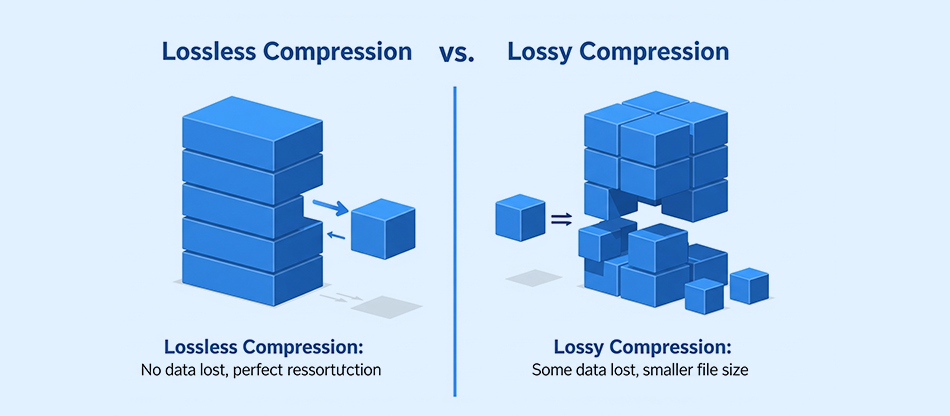
TL;DR: Discover every know-how about lossy vs lossless compression. Learn the difference, benefits, and how to choose between these two for different web images. This guide will help you choose the suitable compression type for smooth web performance.
Images bring websites to life, but unoptimized visuals can severely hurt performance. When optimizing images, one of the most critical decisions is choosing between lossy vs lossless compression. The right choice directly affects image quality, page load speed, bandwidth usage, Core Web Vitals, and user experience.
This guide breaks down lossy and lossless image compression, explains how each method works, and helps you choose the best option for real-world web performance.
What is Lossy Compression?
Lossy compression is a data reduction technique that discards some information deemed less important to achieve higher compression ratios. In the context of images, lossy algorithms exploit limitations of human perception, removing details that are less noticeable (like minor color variations or high-frequency details).
Because of this, lossy file compression can reduce image sizes dramatically, sometimes by 70–90%, making it ideal for web use. However, once data is lost, it cannot be recovered, and repeated editing or re-saving can degrade the quality further.
What is Lossless Compression?
Lossless compression, on the other hand, retains all the original data. When an image is compressed losslessly and then decompressed, you get back the same bits, without quality and artifact loss.
It typically yields lower compression ratios. Common methods include dictionary encoding and entropy coding. Lossless compression is ideal when accuracy matters, for example, in logos, technical diagrams, screenshots, or any graphic where crisp edges, fine text, and transparency are important.
Lossy vs Lossless: Key Differences Explained
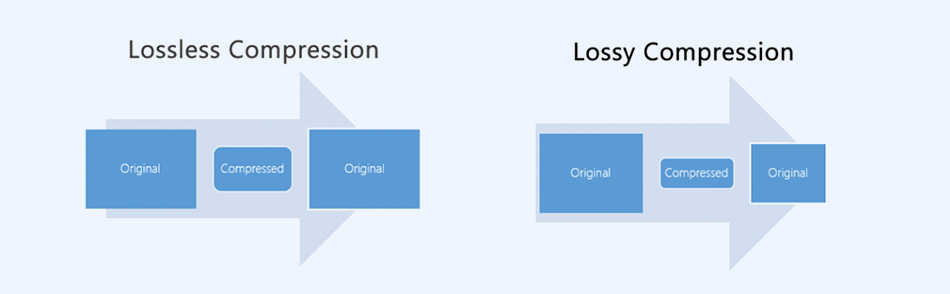
Choosing between lossy and lossless compression depends on how much quality you can sacrifice for speed. The table below helps you quickly identify which approach fits your image and performance needs.
| Aspect | Lossy Compression | Lossless Compression |
|---|---|---|
| Data retention | Discards some original data | Preserves all original data |
| Compression ratio | High (often 70–90% reduction) | Moderate to low (e.g., 1.5:1 to 10:1) |
| Image quality | Possible visible artifacts, especially at high compression | Perfect fidelity; no artifacts |
| Repeated editing | Quality degrades over repeated saves (esp. in JPEG) | Safe to re-edit without degradation |
| Use cases | Photographs, web images, backgrounds | Logos, charts, technical graphics, transparency |
| Speed | Very fast encoding (JPEG: baseline) | Often slower to encode; decoding speed varies |
How Lossy and Lossless Compression Affect Image Quality?
The trade-off between compression and visual fidelity lies at the heart of the lossy vs lossless compression debate. Here’s how they differ in practice:
Lossy Compression:
Because it removes data, lossy compression introduces artifacts, blotchy gradients, banding, or blockiness. However, modern codecs (like WebP or AVIF) can achieve very high quality-to-size ratios. For instance, Google’s study says that WebP can be 25–34% smaller than JPEG at comparable visual quality.
Lossless Compression:
Maintains perfect visual fidelity. The pixels remain identical after compression and decompression. That’s critical when clarity, sharpness, or accurate color is non-negotiable. But the file size savings are more modest than with lossy methods.
According to Google, WebP lossless images are, on average, 26% smaller than PNG equivalents. And lossy formats (like AVIF) compress photos down to 6.4% of the original size while keeping nearly unnoticeable quality (measured by SSIM / MAE).
Lossy vs Lossless Image Formats: PNG, JPEG, WebP & More
Different image formats use either lossy or lossless compression, and each serves a specific purpose. The table below shows how popular image formats compare and when to use them for the best balance of quality and performance.
| Compression Type | Image Format Type | Ideal Use |
|---|---|---|
| Lossy | JPEG (JPG) | Photographs, blog images, hero sections, and large visuals where minor quality loss is acceptable |
| Lossless | PNG | Logos, icons, screenshots, text-heavy graphics, and images requiring transparency |
| Both (Lossy & Lossless) | WebP | Modern web images need smaller file sizes without noticeable quality loss |
| Lossy | AVIF | High-resolution photos, mobile-first websites, and performance-critical web pages |
| Both (Lossy & Lossless) | JPEG XL | Future-ready web images, advanced compression workflows, and high-quality delivery |
| Lossy | HEIC / HEIF | Mobile photography, Apple ecosystem images, and storage-efficient photo formats |
| Lossless | GIF | Simple animations, low-color graphics, and basic icons with limited color depth |
| Lossless | BMP | Uncompressed or lightly compressed images for system graphics or legacy workflows |
| Lossless | RAW | Professional photography, image editing, and archival master files |
| Lossless | SVG | Icons, illustrations, UI elements, and scalable vector graphics with sharp edges |
| Lossless | TIFF | Print-ready images, publishing, archiving, and professional design use cases |
- JPEG: Classic lossy format. Uses transform-based compression (discrete cosine transform + quantization). Ideal for photographs but not for transparency or crisp graphics.
- PNG: Standard lossless format. Uses DEFLATE (LZ77 + Huffman) algorithm. Adobe states that PNGs are great for graphics, icons, screenshots, and when you need full fidelity.
- WebP: Supports both lossy and lossless compression. Lossy WebP is based on a VP8-like codec; lossless WebP uses predictive coding, palette optimizations, and entropy coding.
- According to Google, WebP lossy offers 30% smaller sizes vs JPEG at similar perceived quality.
- WebP lossless can be 26% smaller than PNG.
- AVIF, JPEG XL: Emerging formats that offer both modes (lossy & lossless) with better compression efficiency. For example, recent Photutorial studies show AVIF outperforming WebP/PNG in many scenarios.
When to Use Lossy Compression for Images?

Choose lossy compression when you can afford a slight loss in quality, and reducing size is the priority. Here are scenarios where lossy compression makes the most sense:
1. Web Photos/Hero Images:
These visuals often fill large spaces on a webpage, so reducing their file size has a significant impact on Core Web Vitals and above-the-fold loading speed. Lossy compression works well here because slight quality differences are rarely noticeable to users, especially on responsive layouts where images scale down. This is where speed and page load performance matter more than pixel-perfect fidelity.
2. Background Images:
Backgrounds usually sit behind content or have low visual priority, making them perfect candidates for size reduction. Users typically won’t zoom or inspect these closely, which means mild quality loss will go unnoticed while still delivering major performance gains.
3. Mobile and Bandwidth-sensitive environments:
Mobile users often experience slower networks, higher latency, or data caps. Smaller, lossy-compressed images load much faster and consume far less bandwidth, improving both user experience and accessibility.
4. Large Galleries:
If you manage portfolios, blogs, or eCommerce product pages with many images, every kilobyte matters. Applying lossy compression across a gallery results in drastically smaller cumulative page weights and lower hosting/storage costs.
5. Social Media or Sharing Platforms:
These platforms already compress images heavily. Using lossy compression before upload provides a controlled reduction that balances quality and size, preventing platforms from applying more aggressive and often unpredictable compression.
Because lossy compression can drastically reduce size, pages load faster, and bandwidth costs go down, especially with formats like WebP that are 25–34% smaller than JPEG for the same perceived quality, according to Google.
When to Use Lossless Compression for Images?

Opt for lossless compression when you need perfect quality and sharp details. Here is when you should choose lossless compression:
1. Quality Must be Exact:
For assets where sharp edges, fine lines, or readability matter, like logos, brand graphics, UI elements, medical records, intricate art styles, and text, lossless compression ensures nothing is blurred or distorted. These elements often define brand identity, making quality preservation essential.
2. Transparency Matters:
Formats like PNG and WebP (lossless mode) maintain clean alpha channels, ensuring smooth shadows, crisp edges, and correct layering on various backgrounds. This is crucial for web icons, overlays, stickers, and design elements that require precise transparency.
3. Repeated Editing:
Editing and resaving lossy formats repeatedly degrades quality each time due to cumulative compression artifacts. Lossless formats preserve exact pixel data, making them ideal for designers and developers who work through multiple revision cycles.
4. Archival Needs:
If images must be stored long-term or reused across multiple platforms and formats, lossless versions act as reliable masters. This guarantees that future exports, whether lossy or lossless, start from pristine quality.
5. Compliance or Professional Work:
Fields such as printing, medical imaging, engineering, or product documentation often require pixel-accurate visuals. Lossless compression ensures images remain 100% faithful to the original, important for accuracy, compliance, and legal protection.
Even though the compression ratio is lower, lossless data compression ensures that every pixel and color remains untouched.
How to Pick the Right Compression Method for Your Use Case?
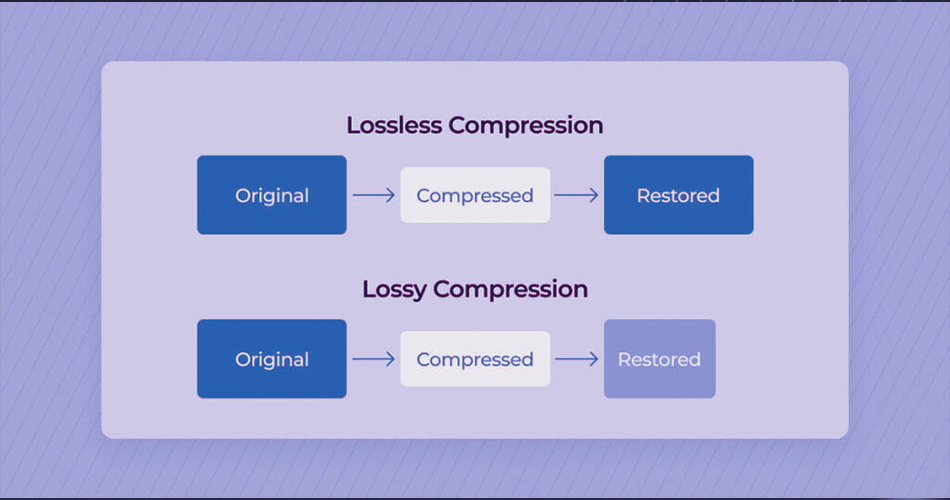
Choosing between lossy vs lossless compression depends on several factors. Understanding these variables helps you strike the right balance between visual fidelity and loading speed.
Purpose of the Image:
Photos, graphics, and UI elements all behave differently under compression. For example, photographs tolerate lossy compression well, while logos or diagrams do not. Knowing the visual purpose helps determine which type offers the best balance of size and clarity.
Target Platform:
Web and mobile platforms prioritize speed and efficiency, so lossy formats often excel. Meanwhile, print and design workflows may require high-fidelity, lossless sources to maintain color accuracy and detail across formats.
User Bandwidth:
If your audience frequently browses on mobile or in regions with slower networks, smaller lossy images significantly improve performance. On the other hand, high-speed desktop audiences accessing local servers may not notice file size differences.
Editing Cycle:
If an image will go through multiple design iterations or color adjustments, start with a lossless version. Even if you later export to a lossy format for the web, your original file remains pristine and artifact-free.
Browser / Compatibility Needs:
Modern browsers support WebP widely, but legacy environments or specialized platforms may require fallback formats like JPEG or PNG. Choosing compression should also consider long-tail browser support or platform constraints.
Performance Trade-Offs:
Lossy images load extremely fast and result in lighter pages, enhancing speed metrics like LCP (Largest Contentful Paint). Lossless images maintain full quality but may slightly increase decoding or transfer time depending on size and format.
In many cases, a hybrid strategy works best: use lossy compression for website delivery, but keep a lossless master for storage or editing.
Tools for Lossy and Lossless Image Compression
Choosing the right image compression tool makes it easier to balance file size, image quality, and website performance. The tools below support both lossy and lossless compression for different optimization needs.
1. Image Optimizer Pro
A powerful all-in-one image optimization tool that supports both lossy and lossless compression. Image Optimizer Pro allows bulk image optimization, modern format conversion (like WebP), and performance-focused compression without compromising visual quality, ideal for websites focused on speed and Core Web Vitals.
2. Compressor.io
An easy-to-use online image compression tool that supports both lossy and lossless optimization for JPEG, PNG, SVG, and GIF files. Ideal for quick image size reduction without requiring technical setup.
3. ImageOptim
A desktop tool for macOS that applies lossless compression by removing unnecessary metadata and optimizing PNG, JPEG, and GIF files. ImageOptim is ideal for developers and designers who want maximum quality preservation.
4. Squoosh
An open-source, browser-based image compression tool by Google that supports both lossy and lossless modes, including modern formats like WebP and AVIF. Useful for testing compression levels and visual quality differences.
5. Kraken.io
A powerful image optimization platform offering advanced lossy and lossless compression with API support. Designed for high-traffic websites and developers who need automated, scalable image optimization.
Conclusion
Lossy vs lossless compression isn’t about “which is better” universally; it’s about choosing what’s right for your goal. Lossy compression offers powerful size savings and faster web performance, but at the cost of some data. Lossless compression retains every detail and is essential when fidelity, transparency, or repeated editing matter.
For most websites, a hybrid approach, delivering lossy images for performance while preserving lossless originals for storage, is the sweet spot. And with modern formats like WebP (supporting both lossy and lossless), and emerging ones like AVIF and JPEG XL, you can fine-tune image optimization more effectively than ever.
FAQs
Q1. What is the main difference between lossy and lossless compression?
Q2. Is lossy or lossless better for image quality?
Q3. When should I use lossy compression for images?
Q4. When is lossless compression the best choice?
Q5. Which image formats support lossless compression?
17 December, 2025
Leave a Comment
Ishan Makkar
He is a web performance specialist focused on image optimization and site speed. As the founder of Image Optimizer Pro, he helps businesses reduce image load times and improve Core Web Vitals. His work centers on delivering faster websites, better user experience, and measurable SEO gains without complex development.