
TL;DR: Unoptimized images slow down websites and hurt SEO. Image compression reduces file size without sacrificing visual quality, improving page load times, Core Web Vitals, user experience, and search rankings. Discover the best ways and image compression tools to enhance your website performance and speed.
High-resolution visuals enhance website appearance and engagement, but they can also negatively impact performance and affect SEO. Image compression reduces image file size without sacrificing noticeable quality. By striking the right balance between clarity and speed, image compression helps improve website performance, boost user experience, and strengthen your SEO efforts.
In this blog, we’ll explore how optimizing your images the smart way can make your site faster, more efficient, and search engine-friendly. Explore the different image formats and best practices for image compression to enhance your web performance.
Why Images Impact Website Performance
When you load a webpage, the images on that page often make up a large share of the total downloaded bytes. According to Google, “images are often the heaviest and most prevalent resource on the web.”
Because of that, if you fail at image optimization, you end up with large file sizes (slow network transfers), more memory use, and more decoding time, all of which slow down page load and harm the browsing experience.
Thus, large and unoptimized images increase page weight, delay rendering, delay interactivity, and hurt your overall site speed and performance.
What Is Image Compression?

Image compression is the process of reducing the size of an image file (in bytes) by removing or encoding data more efficiently while preserving the visual quality. Compressed images take up less storage space and load significantly faster on the site.
It is a key technique in image optimization, aimed at reducing image file size so that pages load faster and require less bandwidth. This means less time for images to download and display, preventing slow performance or high bounce rates on your website.
Types of Image Compression
Under the umbrella of image compression, we typically distinguish two main approaches. These are the two ways you can use to compress images
Lossless image compression:
This type of compression preserves all original image data so that the output image, when decompressed, is identical (pixel-for-pixel) to the original. It compresses by finding more efficient storage of the same image data (e.g., removing metadata, exploiting redundancies). RAW, PNG, BMP, and TIFF are some examples of lossless images.
Lossy image compression
It sacrifices some of the original image data/quality (often in ways unnoticeable to the average user) in exchange for a much smaller file size. Some details are discarded to make the file lighter, balancing the size and quality. In practice, many web images are compressed using lossy compression because the savings in file size justify the slight quality trade-off. JPEG, AVIF, and WebP are the most common types of lossy image compression.
Common Image Formats For Better Web Performance
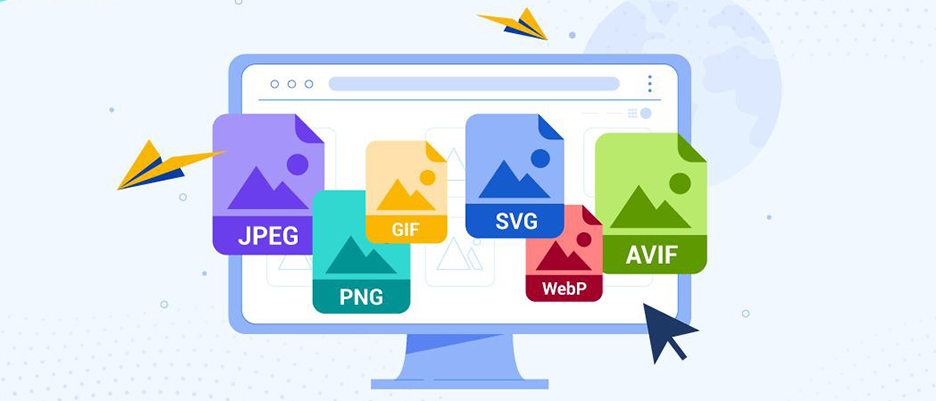
When it comes to web images and compression, the format matters. Some of the common formats:
- JPEG: Very common for photographic images and supports efficient lossy compression. It’s ideal for blog images, product photos, and content-heavy visuals where maintaining a balance between quality and file size is important.
- PNG: Primarily used for graphics, logos, icons, or images requiring transparency. PNG supports lossless compression, meaning no image data is lost during compression.
- WebP: A modern, next-gen image format developed by Google. WebP supports both lossy and lossless compression, and typically provides smaller file sizes compared to JPEG and PNG while maintaining similar or better visual quality.
- AVIF: A newer format based on the AV1 video codec, offering superior compression efficiency, especially at low bitrates. An AVIF image can be smaller than WebP and JPEG while maintaining high quality, making it excellent for high-resolution visuals and mobile optimization.
Choosing the right format and applying effective image compression and format conversion are critical parts of the broader image optimization strategy.
How Image Compression Boosts Website Speed

Image compression reduces the file sizes, requiring less data for downloading a page, significantly boosting website speed. Here is how image compression improves website speed:
Reduced Page Weight
By applying image compression, you reduce the number of bytes the browser must download. A smaller image file size contributes directly to lower “payload” on a page. For example, according to Image Engine, converting images to next-gen formats and using different optimization techniques, image payloads could be slashed by up to 80%. With lower page weight, the network download is faster, and the initial render can proceed sooner.
Faster Load Time
When images are lighter, the browser can finish downloading them earlier, decode them faster, and display them sooner. Faster load times mean users see content quicker and are less likely to bounce due to waiting for the page to appear.
Better Core Web Vitals scores (LCP and INP)
The Largest Contentful Paint (LCP) and Interaction to Next Paint (INP) are part of the metrics that Google uses to measure page experience.
Unoptimized images often degrade LCP because the largest image element takes too long to load or decode. They can also affect INP if image decoding blocks the main thread or delays interactivity.
By compressing images and serving them efficiently, you can improve these Core Web Vitals metrics, which in turn support better user experience and can positively impact search ranking.
Improved User Experience
From the user’s perspective, a site that loads faster, displays clean images quickly, and responds to their input swiftly feels better, likely to revisit. Compressed and optimized images reduce waiting times and cut down frustration, especially on slower networks or mobile devices. As a result, user engagement, conversion rate, and retention are improved.
SEO Benefits of Image Compression

Compressed images improve the SEO of your website by providing you with search engine rankings, page load speed, and mobile-specific benefits. Here are the SEO benefits of image compression on your site:
Faster Sites Rank Higher on Google
Page speed and user experience are key ranking factors in Google’s search algorithm. When your site loads faster with image compression, there are increased chances of your website ranking higher in search engines. Given that images make up a large share of page payloads, neglecting image compression means sacrificing an easy performance win.
Better Image Search Performance
Optimized images with descriptive alt text, proper file names, and next-gen formats help in image search results. Google’s guidance emphasises descriptive filenames and alt text to help search engines understand the image.
By combining right image compression (for speed) with good metadata (for understanding), you can get the dual benefit of faster page load and improved visibility in image search.
Lower Bounce Rate and Higher Dwell Time
Slow loading and large file size images can cause visitors to leave before the page even finishes rendering. The loading times above 3 seconds tend to increase the bounce rate significantly. By compressing images and speeding up the page, you reduce bounce rate and keep users engaged longer, both of which are positive for SEO.
Improved Mobile Performance
Mobile networks are often slower, and devices are less powerful than desktops. Because image compression reduces bandwidth and resource usage, this is especially beneficial for mobile visitors. Image payloads can make up nearly half of the data transferred on mobile pages. Thus, better mobile performance supports better search rankings on mobile-first indexing platforms.
Improved Crawlability and Indexing
Heavy images slow down your pages, reduce crawl efficiency, and can make indexing less effective. Compressing images reduces payload and improves server response times, meaning crawlers can fetch more pages in less time and index them more quickly.
Better crawlability means your new content and updates are more likely to be discovered and ranked promptly.
Best Practices for Image Compression

After understanding the importance of image compression for SEO and speed, let’s get into the right ways of image optimization:
1. Choose the Right Image Format
Decide whether to serve JPEG, PNG, WebP, or AVIF depending on your image type. Next-gen formats like WebP/AVIF often give superior compression. Use JPEG for complex photos, PNG for simple graphics or transparency, and convert wherever possible to WebP/AVIF if browser support allows.
2. Use Proper Image Dimensions
Don’t upload a 4000×3000 pixel image when the display size on the site is only 800×600. Serving oversized images wastes bytes and slows rendering. Google’s recommendations under Core Web Vitals emphasise properly sized images. Resize images to the maximum display size needed and avoid unnecessary resolution.
3. Add Alt Text and Descriptive File Names
For SEO and accessibility, use descriptive filenames (e.g., red-running-shoes.jpg rather than IMG_125.jpg) and meaningful alt attributes that describe the image content. Also, avoid keyword stuffing in alt text, and focus on context and readability.
4. Use Responsive Images
Use <img srcset> and <picture> tags to serve different versions of an image depending on device size or resolution. This ensures you’re not delivering a large image to a mobile device. Responsive images reduce unnecessary bytes and help performance.
5. Compress Before Upload or Use Automation Tools
Ideally, you should compress images before uploading them to your CMS. That means reducing file size (via lossy or lossless compression), stripping metadata, converting formats, etc. For sites with bulk images, it may be time-consuming, so automation is helpful.
You can automate the image compression with tools like Image Optimizer Pro, which can compress bulk images in one click without losing image quality. Automating ensures every image is optimized, not just the ones you remember.
6. Test Performance Before and After Compression
Use tools like PageSpeed Insights, Lighthouse, or Core Web Vitals reports in Google Search Console to measure metrics like LCP, INP, total bytes, and number of image requests. Seeing the before-and-after difference gives you insight into how much performance gain you achieved. Keep track of how compression is impacting your metrics and refine accordingly.
Conclusion
In today’s competitive web landscape, the strategy of image compression for website speed and SEO is no longer optional; it’s essential. With image compression tools (such as Image Optimizer Pro), and by following best practices of image optimization, you can dramatically improve website performance and bolster your SEO efforts.
Optimized images help your pages load faster, engage users more effectively, and get rewarded in rankings. Take the time to audit your images, apply compression consistently, and keep monitoring the results; you’ll see the benefits in both speed and search.
FAQs
Q1. What is image compression, and how does it work?
Q2. Why does image compression matter for website speed?
Q3. Which image file formats support compression best for the web (JPEG, PNG, WebP)?
Q4. How do I decide between lossy and lossless image compression?
Q5. How much performance gain can I expect from image compression?
Q6. Does image compression affect SEO beyond page speed?
26 November, 2025
Leave a Comment
Ishan Makkar
He is a web performance specialist focused on image optimization and site speed. As the founder of Image Optimizer Pro, he helps businesses reduce image load times and improve Core Web Vitals. His work centers on delivering faster websites, better user experience, and measurable SEO gains without complex development.